


Introduction to AI for Excel Financial Plans using ChatGPT
The rise of AI language tools like ChatGPT is revolutionizing different sectors, especially financial. Models build on AI and ML capabilities like ChatGPT are capable of generating human-like text to provide insights. They can be utilized for a wide array of financial applications. Though ChatGPT is not specifically intended for finance, ChatGPT helps businesses reduce manual work and automates several aspects of finance. ChatGPT and other tools can be applied to every part of a finance team’s tasks with accuracy.
Setting Up ChatGPT for Financial Planning
Setting up ChatGPT for AI for Excel Financial Plans involves clear, context-rich prompts to generate personalized budgets. It can also be used for investment ideas, and forecasts, using its ability to process data and structure plans. You should add the required inputs like income and goal and also verify outputs due to AI limitations like outdated data. It can be used as a powerful assistant to draft plans, analyze scenarios, and translate complex finance into understandable language. Remember, though AI is very clear and fast, you must always review and refine its suggestions for accuracy and compliance.
To get started we must follow these steps:
- You must access ChatGPT by signing up at chat.openai.com or use the app.
- Create an account using either the free or paid version.
- Type your requests in the message box. These prompts should be clear, concise, mention the inputs. Remember these key prompting strategies while writing prompts.
- Key Prompting Strategies
- Establish Context: Start by telling ChatGPT to act as a financial advisor or planner, then provide your details like income, age, goals, etc.
- Specificity: Give clear data, like monthly income, desired retirement age, or investment amounts.
- Formats: Ask for specific formats, like P&L statements, budgets, or scenario analyses.
- You can use examples. You must provide historical data like past sales for better forecasts.
- Refine: Add follow-up questions for better insights or adjust parameters in the same chat.
Top 10 ChatGPT Prompts for Personalized AI for Excel Financial Plans
- Budgeting: “Act as a budget planner. My monthly after-tax income is $4,000. Help me create a 50/30/20 budget with a focus on saving for a house down payment in 3 years. Give me details about allocations for needs, wants, and savings goals.”
- Financial Modeling: “Build a 5-year financial model for a small business with these assumptions: [Your data]. Include a ‘worst-case’ scenario with [give variables]. Provide it as an Excel file.”
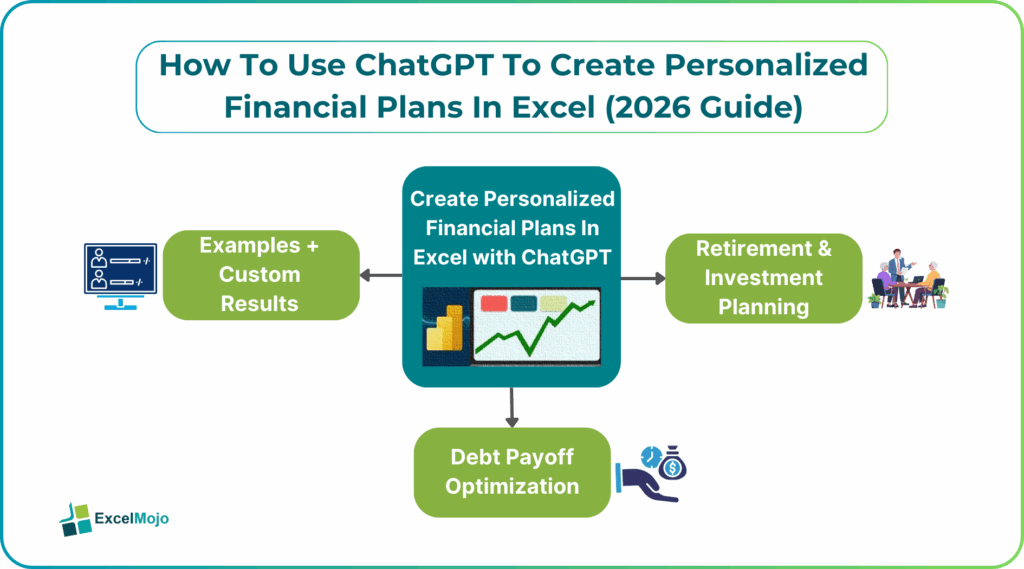
#1 – Retirement & Investment Planning
- Investment Advice: “I’m a 30 years old. I have a moderate risk tolerance, saving for retirement. Suggest a diversified portfolio allocation (stocks/bonds/alternatives) and list three specific ETFs for each category, explaining the rationale.”
- General Planning: “Act as a financial planner. I am [Age] years old, looking to retire at [Age] with a monthly income of [mention income].I currently have [mention amount] in savings/investments and can save [mention amount] per month. Please create a comprehensive, tax-efficient, 5-step retirement roadmap for me, including estimated investment returns and risk management strategies.
- Portfolio Allocation: “Design a diversified investment portfolio for a [Conservative/Moderate/Aggressive] risk tolerance. Aim for a 7% annual return over the next 20 years. Assume I am investing in ETFs and mutual funds. Please include a breakdown of stocks, bonds, and real estate, and explain how to rebalance this portfolio annually.”
#2 – Debt Payoff Optimization
Let us look at some prompts for debt payoff related queries.
- Strategic Payoff: “Analyze my debts: Credit Card A ($5,000 at 22% APR), Student Loan ($15,000 at 5% APR), and Car Loan ($10,000 at 4% APR). I have an extra $500 per month to pay towards debt. Compare the total interest paid and time saved using the debt snowball vs. the debt avalanche method.”
- Balance Debt/Investment: “I have a high-interest credit card debt of [$X] and a 401(k) match available at work. Should I stop all investing to pay off the debt immediately, or continue contributing to get the full company match while paying down the debt? Calculate the net financial impact.”
- Refinancing Evaluation: “Evaluate whether refinancing my high-interest debt of [$X] into a personal loan at [Y%] APR or using a balance transfer card with a 0% introductory APR for 15 months will improve my cash flow and accelerate my payoff timeline.”
Step-by-Step Financial Plan Creation
AI for Excel Financial Plans – AI tools streamline traditional Excel AI financial plans processes by offering automation and real-time insights. The general process combines standard financial planning steps with AI’s analytical capabilities:
Identify your specific short and long-term objectives like retirement, buying a home, paying off debt, etc. AI systems often prompt users for this input. The AI retirement calculator Excel will generate all this for you.
Identify your specific short- and long-term financial goals, whether it’s saving for retirement, buying a home, or paying off debt. Many AI-powered financial planning tools can help organize these objectives and create personalized projections. If you’re working to reduce unsecured debt, Freedom Debt Relief is one of the options you can research while building a broader financial plan. AI retirement calculators and budgeting tools can also help you track your progress and stay focused on your long-term goals.
Securely connect your financial accounts to the model. The AI analyzes income, expenses, assets, and liabilities at a granular level to build a comprehensive financial profile, a task that was previously manual and time-consuming.
The AI simulates various scenarios and generates personalized financial planning Excel AI recommendations. It could be anything from budgeting strategies to debt reduction plans. AI like Copilot financial modeling simplifies forecasting and scenario analysis using natural language prompts in Excel.
AI systems for AI for Excel Financial Plans offer continuous monitoring of your financial health. They help by sending alerts and suggesting dynamic adjustments to your plan in response to changing market conditions.
You can also mention your personal situations, an they adjust your strategy so that it remains relevant.
Examples + Custom Results
- Personalized Budgeting and Expense Optimization: AI can offer customized experiences by analyzing spending patterns to identify areas for cost reduction. It can also suggest optimal budget allocations.
- Predictive Forecasting & Scenario Planning: Instead of static models, AI uses machine learning to perform predictive forecasting and simulate various future scenarios like market shifts and policy changes. This helps evaluate potential impacts on your finances, allowing for informed decision-making.
- Custom Excel AI financial plans Documentation: AI for Excel Financial Plans can generate easy-to-understand, personalized financial planning Excel AI reports with charts and graphs to visualize your finances and explain complex concepts clearly.Conversational AI Assistants: Chatbots powered by AI models act as 24/7 financial advisors. They offer guidance and answering questions using language adjusted to the user’s financial literacy level.
Frequently Asked Questions (FAQs)
Excel AI like ChatGPT analyzes your income, expenses, savings goals, risk tolerance, and historical data to model financial behavior. It then uses predictive formulas and AI-driven insights to recommend budgets, investment allocations, and savings for you.
Excel AI budgeting tools automate expense tracking, categorize spending, and generate real-time budget insights directly within spreadsheets. AI financial forecasts in Excel typically achieve 70–90% accuracy when based on consistent historical data. The accuracy improves with larger datasets, regular updates, and human validation of the results of ChatGPT by checking with market conditions.
Excel AI can run multiple investment scenarios by adjusting variables like returns, risk levels, time horizons, and market conditions. This enables scenario analysis, stress testing, and what-if modeling for better decision-making simultaneously.
Recommended Articles
Continue with these related resources when you want the next practical step in this topic.
- How To Use AI With Excel
- How AI Is Transforming Data Analysis In Excel (2026 Complete Guide)
- Excel AI And Machine Learning: Beginner’s Guide For 2026
- The Most Useful AI Features in Excel: Unlock Smarter Spreadsheets in 2026
- Top Skills for AI-Enabled Excel in 2026 (Must-Master List)
Explore the full Excel AI Automation and Analysis guide or browse Excel Resources.