


Introduction to Gemini Data Validation Suggestions
Dropdown lists in Excel and spreadsheets are useful for maintaining consistency. They help users select predefined values instead of typing manually. This reduces errors and keeps data clean. However, traditional dropdowns are static. Once created, they do not change unless someone updates them manually. This becomes a problem in real-world scenarios where data keeps changing. For example, product lists, regions, or employee names may be updated regularly.
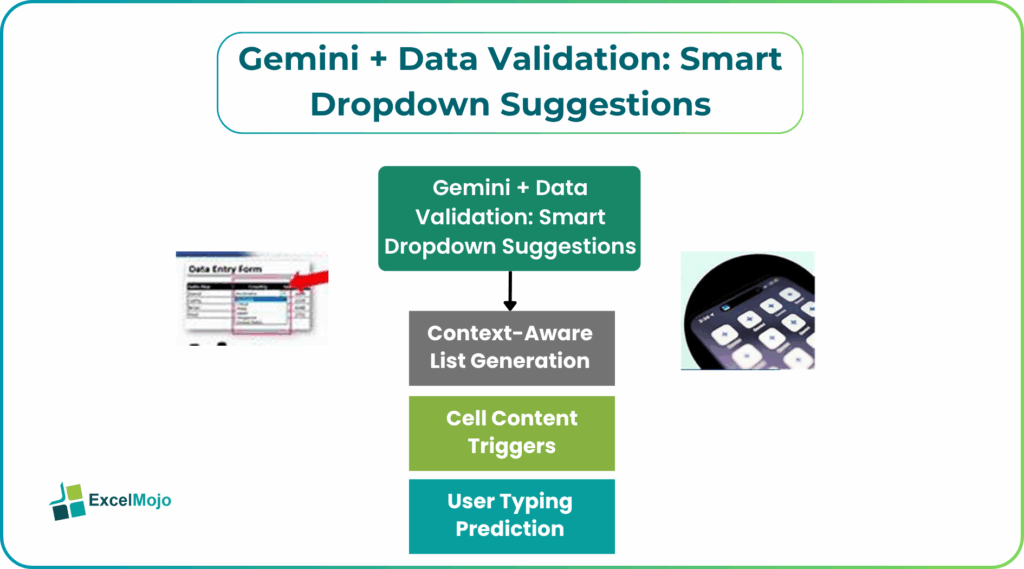
In 2026, AI tools like Google Gemini are changing how dropdowns work. Instead of fixed lists, users can now create dynamic dropdowns that adjust automatically based on context. This makes data validation smarter. Dropdowns are no longer just selection tools. They become interactive elements that respond to user input and data conditions.
Why Static Dropdowns Fail Business Users
Static dropdowns work well for simple datasets, but they struggle in dynamic environments. Businesses deal with constantly changing data, and fixed lists cannot keep up with these changes.
One common issue is outdated values. If a dropdown list is not updated regularly, users may select incorrect or irrelevant options. This affects data quality and reporting accuracy. Another problem is lack of flexibility. Traditional dropdowns cannot adapt based on conditions. For example, selecting a country does not automatically update the list of cities unless additional logic is applied. Static lists also create maintenance work. Someone must update them manually, which takes time and increases the chance of errors. Because of these limitations, businesses need smarter solutions that can adapt automatically. This is where Gemini Data Validation suggestions are useful.
Gemini =AI() Dynamic List Magic
AI-powered dropdowns use functions like =AI() to generate lists dynamically. Instead of referencing a fixed range, the dropdown can be built based on logic or user input. For example, you can create a dropdown that shows only relevant products based on a selected category. The AI understands the relationship between the fields and generates the appropriate list. This approach reduces manual setup.
You do not need to create multiple lists or maintain them separately. The AI handles the logic and updates the dropdown automatically. Dynamic list generation also improves user experience.
Step-by-Step Smart Dropdown Setup
Setting up a smart dropdown with AI for Gemini Data Validation Suggestions is becoming easier with modern tools.
- The process of smart dropdown Google Sheets like validation usually starts with organizing your data into structured tables.
- Next, define the relationships between different fields. For example, link categories with products or regions with cities. This helps the AI understand how lists should be generated.
- Then, use AI functions or prompts to create Gemini dynamic dropdowns. Instead of selecting a fixed range, you allow the system to generate options based on conditions.
- Finally, apply AI data validation using the generated list. Once set up, the dropdown updates automatically as the data changes.
This workflow reduces manual effort and ensures that dropdowns remain accurate over time.
Context-Aware List Generation
One of the biggest advantages of Gemini Data Validation Suggestions dropdowns is context awareness. The system does not just display a list. It understands the situation and provides relevant options. For example, if a user selects a department, the dropdown can show only employees from that department. If a product category is selected, only related products appear.
This makes data entry more intuitive. Users do not have to search through long lists. They see only what is relevant to their selection.
Context-aware dropdown lists also reduce errors. Since irrelevant options are removed, users are less likely to make incorrect selections.
Smart Multi-Condition Dropdown Logic
AI allows dropdowns to respond to multiple conditions at the same time. Instead of relying on a single trigger, the list can change based on several inputs. For example, a dropdown can depend on both location and product category. The AI combines these conditions to generate the correct list. This makes dropdowns more powerful and flexible. It also reduces the need for complex formulas or multiple helper columns. Multi-condition logic is useful in business workflows where decisions depend on multiple factors.
#1 – Cell Content Triggers
Dropdowns can change based on the content of other cells. For example, selecting a value in one cell can update the options in another. AI simplifies this process by automatically detecting relationships between cells. It applies the logic without requiring complex formulas. This makes it easier to create dependent dropdowns.
#2 – User Typing Prediction
AI can also predict what the user is trying to select based on typing patterns. As the user starts typing, the dropdown narrows down the options.
This improves speed and usability. Users do not need to scroll through long lists. They can quickly find what they need. Typing prediction also reduces errors by suggesting the most relevant options.
Real-Time Business Rule Adaptation
Business rules often change over time. New products are added, categories are updated, and processes evolve.
AI-powered dropdowns like Gemini Data Validation suggestions can adapt to these changes automatically. Instead of updating lists manually, the system adjusts based on updated data. For example, if a new product is added to a category, it appears in the dropdown without any manual changes. If a value becomes irrelevant, it is removed automatically. This ensures that dropdowns remain accurate and up to date. Real-time adaptation reduces maintenance work and improves data reliability. It also makes spreadsheets more scalable as data grows.
Frequently Asked Questions (FAQs)
Gemini analyzes the relationships between different data fields and uses that information to generate relevant dropdown options. It considers user selections and filters the list accordingly. This ensures that only meaningful options are displayed, improving both accuracy and usability.
AI can combine multiple inputs to generate dropdown options. For example, it can use both location and category to filter results. This allows more precise and relevant suggestions compared to traditional dropdowns.
AI can enhance existing data validation setups by adding dynamic logic. Instead of replacing current rules, it builds on them to make dropdowns more flexible and responsive. This allows users to upgrade their spreadsheets without starting from scratch.
Recommended Articles
Continue with these related resources when you want the next practical step in this topic.
- Excel Copilot: What It Is and How to Get Started In 2026
- Top 10 AI Tools For Excel Data Analysis
- The Best Excel AI Plugins You Should Try This Year
- Excel Copilot vs. ChatGPT: What’s Better for Your Spreadsheets?
- How to Integrate Gemini AI Directly in Excel Workbooks
Explore the full Excel AI Tools and Copilot guide or browse Excel Resources.