


Introduction to ChatGPT for Advanced Excel Formulas
Learning advanced Excel formulas can feel difficult, especially when functions become long and complex. This is where ChatGPT makes things easier. Instead of memorizing syntax, you can simply describe what you want the formula to do and get a working solution instantly. It helps you learn faster, fix errors quickly, and apply advanced formulas in real-world tasks. In this article, we help you understand the importance of ChatGPT in writing advanced formulas and functions.
Why Advanced Formulas Are a Career Differentiator
Advanced Excel formulas are one of the key skills that helps beginners become professionals. Once you’ve mastered the art of writing complex formulas; you will be a most sought-after professional. However, this is not easy at all. In fact, many roles require working with large datasets, and simple formulas are not enough to handle complex scenarios. When you know advanced formulas, you can:
- Analyze data more efficiently
- Build flexible and dynamic reports
- Reduce manual work
- Solve real business problems
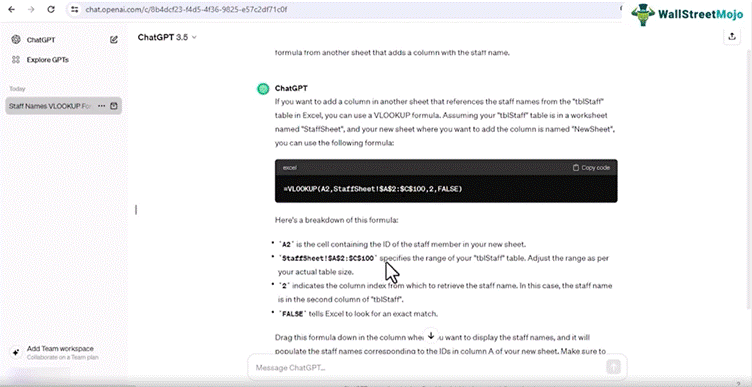
Video Screenshot: ChatGPT & AI For Microsoft Excel Course
Employers often look for candidates who can go beyond basic Excel tasks. Advanced formulas show that you understand how to structure data and extract insights. In roles like finance, operations, and many more, these skills are especially valuable. They allow you to handle tasks that would otherwise require additional tools or software. With AI support, learning these formulas becomes easier. You can focus on understanding the logic instead of memorizing syntax.
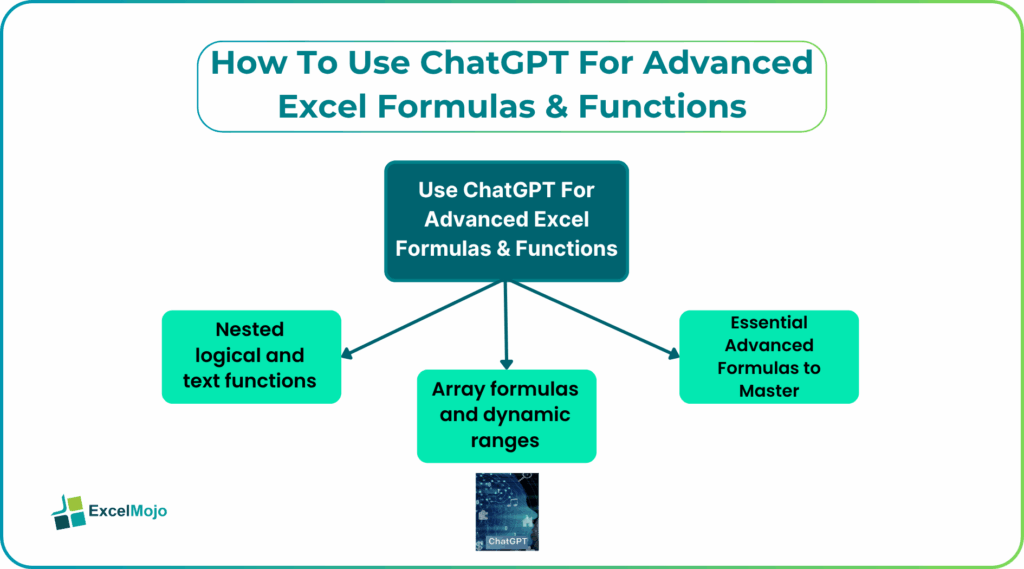
Essential Advanced Formulas to Master
To become proficient in Excel, there are certain advanced formulas that you should focus on. These functions are the foundation of data analysis and reporting.
#1 – INDEX-MATCH and complex lookups
Lookup functions are widely used in Excel. One of the best combinations is the INDEX-MATCH. It allows you to search for values across rows and columns without the limitations of older functions. Compared to traditional lookup methods, INDEX-MATCH offers better control and accuracy. It works well with dynamic datasets and can handle complex scenarios.
AI tools can help generate these formulas quickly. Instead of building them step by step, you can describe your requirement and let AI create the structure. This makes it easier to use advanced lookup techniques in real projects.
#2 – Array formulas and dynamic ranges
Lookup functions are widely used in Excel, and INDEX-MATCH is one of the most flexible combinations. It allows you to search for values across rows and columns without the limitations of older functions. Compared to traditional lookup methods, INDEX-MATCH offers better control and accuracy. It works well with dynamic datasets and can handle complex scenarios.
AI tools can help generate these formulas quickly. Instead of building them step by step, you can describe your requirement and let AI create the structure. This makes it easier to use advanced lookup techniques in real projects.
#3 – Nested logical and text functions
Array formulas allow you to perform multiple calculations at once. They are useful when working with large datasets or when you need to apply logic across a range of values. Dynamic arrays have made Excel more powerful by allowing formulas to return multiple results automatically. This reduces the need for repetitive formulas.
AI can help you understand how these formulas work and when to use them. It can also suggest simpler ways to achieve the same result. This is especially helpful for users who find array formulas difficult to learn.
How ChatGPT Accelerates Formula Learning
Nested formulas combine multiple functions to perform complex operations. For example, logical functions like IF can be combined with text functions to create conditional outputs. These formulas are useful in real-world scenarios where decisions depend on multiple conditions. However, they can become difficult to manage if written manually. AI tools simplify this process by generating nested formulas based on your requirements. They also help explain how the formula works, making it easier to learn.
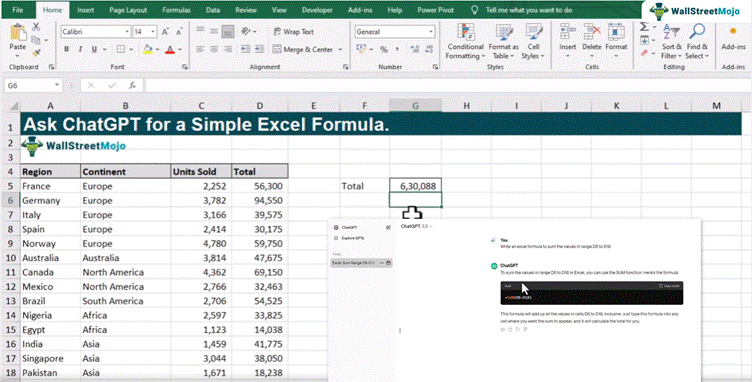
Video Screenshot: ChatGPT & AI For Microsoft Excel Course
This improves both accuracy and understanding. Advanced formulas are not just theoretical concepts. They are used daily in real-world business scenarios. For example, in finance, formulas are used to calculate performance metrics and analyze trends. In marketing, they help track campaign results and customer behaviour. In operations, they support reporting and decision-making.
Using AI makes these tasks easier. You can generate formulas quickly and apply them across datasets. This allows you to focus more on analysis rather than setup.
Real-world use cases include:
- Building dashboards
- Cleaning and structuring data
- Performing conditional analysis
- Creating automated reports
When combined with AI, these tasks become faster and more efficient. This makes Excel a powerful tool for data-driven work.
Certification and AI-Excel Courses
Learning advanced Excel formulas on your own can take time. While AI tools help speed up the process, having a structured learning path can make it easier. Courses focused on AI and Excel provide practical examples and real-world use cases. They show how formulas are applied in actual workflows.
For example, the ChatGPT & AI For Microsoft Excel Course covers how to use ChatGPT with Excel for tasks like formula generation, automation, and reporting. This course helps you move from basic knowledge to practical application. It also saves time by focusing on what is most useful for real jobs. Certification or structured learning can also strengthen your resume and improve job opportunities.
Frequently Asked Questions (FAQs)
Some of the most important formulas include INDEX-MATCH, XLOOKUP, array formulas, and nested IF functions. These are widely used in data analysis and reporting. ChatGPT helps you learn these formulas faster by generating examples and explaining how they work in real scenarios.
ChatGPT can generate formulas based on your requirements and also help debug existing ones. It can identify errors, suggest corrections, and explain the logic behind the formula. This makes it easier to handle complex calculations without getting stuck.
Courses that combine Excel with AI tools are the most useful. They focus on practical workflows like formula creation, automation, and data analysis. A course that includes real examples and AI prompts helps you apply the concepts directly in your work.
Recommended Articles
Continue with these related resources when you want the next practical step in this topic.
- How To Use AI With Excel
- How AI Is Transforming Data Analysis In Excel (2026 Complete Guide)
- Excel AI And Machine Learning: Beginner’s Guide For 2026
- The Most Useful AI Features in Excel: Unlock Smarter Spreadsheets in 2026
- Top Skills for AI-Enabled Excel in 2026 (Must-Master List)
Explore the full Excel AI Automation and Analysis guide or browse Excel Resources.