


Introduction to AI-Enabled Excel Skills
AI-powered Excel skills for 2026 focus on leveraging tools like Microsoft Copilot for natural language commands, generating formulas, automating data cleaning, etc. They can also be used for interpreting insights, integrating Python for ML, optimizing arrays, and enabling collaborative workflows. There is going to be a massive demand with increasing salaries for proficient users by 15-40% as AI transforms data analysis beyond traditional functions.
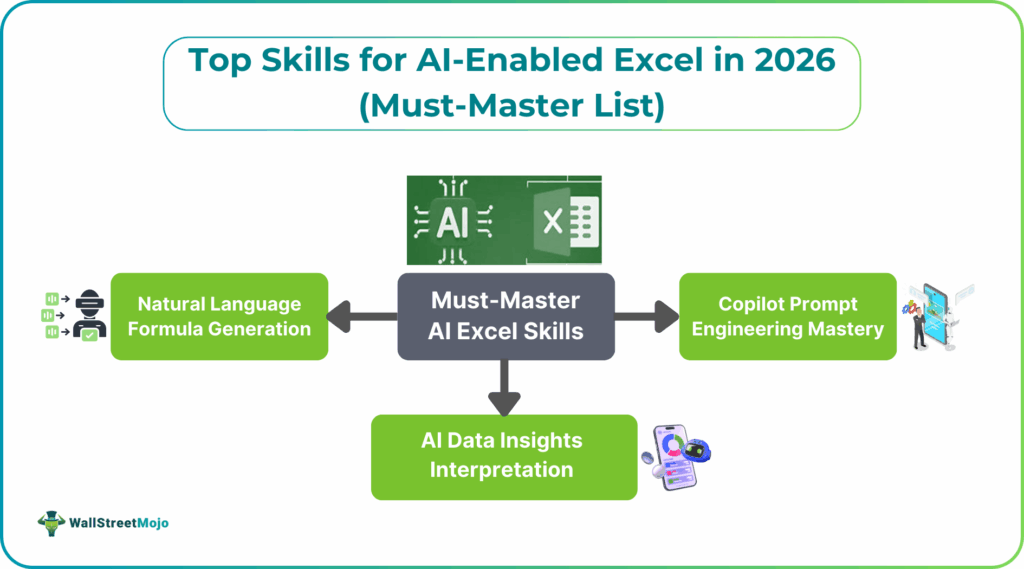
Top 10 Must-Master AI Excel Skills for 2026
Mastering Excel AI skills 2026 is crucial. Some of the key areas include prompt engineering for instant analysis, Python integration for machine learning, and advanced Excel automation skills via Power Query and Copilot Excel mastery. These skills are in high demand and can lead to significant salary increases
#1 – Copilot Prompt Engineering Mastery
Copilot prompt engineering is a critical skill for maximizing Excel’s AI capabilities. It involves writing clear, goal-oriented natural language prompts to instantly generate summaries charts, and formulas. Mastery of this skill allows professionals to control AI outputs more precisely. They also reduce manual spreadsheet work.
Key points:
- Precise natural language instructions
- Multi-step task prompting
- Faster insight generation
#2 – Natural Language Formula Generation
Natural language formula generation enables users to describe calculations in plain English and let AI generate accurate Excel formulas. This skill reduces formula complexity, accelerates development, and makes advanced Excel accessible to non-technical users. It also helps users learn complex functions through AI explanations.
Key points:
- Plain English to formulas
- Faster complex calculations
- Reduced formula errors
#3 – AI Data Insights Interpretation
AI data insight interpretation focuses on understanding and validating AI-generated summaries, trends, and anomalies. Instead of spending time on syntax, professionals can concentrate on evaluating insights and making informed decisions. This skill is essential for turning AI outputs into business value.
Key points:
- Pattern and trend recognition
- Business-focused interpretation
- Insight validation
#4 – Automated Data Cleaning Workflows
Automated data cleaning uses AI and Power Query to handle repetitive tasks like removing duplicates, standardizing formats, and fixing inconsistencies. These AI Excel skills ensure clean and reliable datasets while significantly reducing manual preparation time. Clean data is very important for accurate AI analysis.
Key points:
- Repeatable cleaning processes
- Reduced manual effort
- Improved data quality
#5 – Python in Excel for ML Models
Python integration in Excel allows users to run advanced statistical and machine learning models within spreadsheets. This skill expands Excel beyond traditional analysis and supports more sophisticated forecasting and modeling. Users can leverage AI and ML within the Excel environment.
Key points:
- Built-in Python execution
- Advanced analytics in Excel
- ML-powered insights
#6 – Dynamic Array Formula Optimization
Dynamic array optimization focuses on using modern Excel functions like FILTER, SORT, and UNIQUE to replace other formulas. These AI Excel skills simplify calculations and improve performance. This skill is essential for modern, AI-ready Excel models.
Key points:
- Spill-based calculations
- Scalable formulas
- Cleaner worksheet design
#7 – Power Query AI Enhancements
Power Query AI enhancements involve automating data extraction, transformation, and loading from multiple sources. By mastering this skill, users ensure consistent data that helps with AI-driven analysis accurately. It I the basis for the best AI-enabled Excel workflows.
Key points:
- Automated ETL workflows
- Multi-source data handling
- AI-ready datasets
#8 – Predictive Forecasting with AI
Predictive forecasting with AI enables users to analyze historical data and generate future projections using built-in AI Excel skill tools. This skill supports better planning, scenario analysis, and risk assessment. It is especially valuable for sales, finance, and operations roles.
Key points:
- AI-driven trend prediction
- Scenario modeling
- Better decision support
#9 – Collaborative AI Workflows
Collaborative AI workflows focus on using AI across Microsoft 365 to enhance team-based data analysis and reporting. This skill enables shared insights, automated report distribution, and consistent decision-making across departments. Collaboration amplifies the value of AI-driven Excel work.
Key points:
- Shared AI insights
- Automated reporting
- Cross-team productivity
#10 – Advanced Dashboard Automation
Advanced dashboard automation involves creating interactive, AI-driven dashboards that update automatically with new data. These AI Excel skills support real-time data storytelling without manual chart updates. It allows stakeholders to explore insights independently and make faster decisions.
Key points:
- Dynamic, auto-updating dashboards
- AI-enhanced visuals
- Self-service analytics
Tools and Resources for Skill Development
Modern enterprises evaluate AI candidates through a multi-layered model emphasizing:
- Technical Proficiency: Practical project demonstrations, coding tests, and case studies are valued higher than just certifications.
- Problem-Solving Capacity: The ability to design complex AI systems and workflows is critical.
- Breadth and Depth of AI Knowledge: Professionals who combine technical skills with governance awareness and domain expertise are favored.
- Adaptability and Learning Agility: Demonstrated commitment to ongoing AI education is a strong indicator of long-term success.
- Soft Skills and Collaboration: Cooperation is foundational, especially in multidisciplinary AI operations roles.
Job Market Demand and Salary Impact
| AI Skill / Role | Average Salary Range (USD) | Freelance Hourly Rate (USD) | Prerequisites |
|---|---|---|---|
| Agentic AI Developer | $120,000 – $180,000 (typical mid-level, up to $240K+ at senior) | $90 – $150 | Advanced Python, Reinforcement & multi-agent concepts |
| AI Prompt Engineer | $90,000 – $160,000 (mid-level average) | $60 – $110 | NLP basics, generative models, AI prompt engineering Excel |
| Multimodal AI Specialist | $130,000 – $200,000+ (aligning with GenAI / CV/NLP expert pay) | $70 – $130 | Deep Learning, Computer Vision, NLP |
| AI Agent Operations Manager | $110,000 – $170,000 (AI/ML project & orchestration lead) | $60 – $120 | Systems integration & orchestration skills |
| Machine Learning Engineer | $100,000 – $160,000 (median range) | $60 – $110 | ML frameworks, data engineering |
| AI Solutions Architect | $130,000 – $210,000 (enterprise design & deployment) | $80 – $140 | System design, cloud/AI architecture |
| NLP / LLM Engineer | $120,000 – $180,000 (LLM specialization) | $70 – $120 | NLP pipelines, transformer architectures |
Frequently Asked Questions (FAQs)
The most in-demand skills include Copilot prompt engineering, AI-driven data insights interpretation, automated data cleaning with Power Query, and predictive forecasting. Dynamic array formulas and AI-powered dashboard automation are also critical. These skills enable faster, smarter, and more strategic data analysis.
Basic AI Excel features can be learned in a few weeks with regular practice. Intermediate proficiency typically takes 2–3 months of hands-on use with real datasets. Mastery of advanced AI workflows and automation may take 4–6 months.
No coding is required for most AI Excel features like Copilot, Analyze Data, and natural language formulas. However, basic familiarity with Power Query or Python can be beneficial for advanced automation. Most professionals can achieve strong proficiency without a programming background.
Recommended Articles
Continue with these related resources when you want the next practical step in this topic.
- How To Use AI With Excel
- How AI Is Transforming Data Analysis In Excel (2026 Complete Guide)
- Excel AI And Machine Learning: Beginner’s Guide For 2026
- The Most Useful AI Features in Excel: Unlock Smarter Spreadsheets in 2026
- 10 Excel AI Skills to Automate Work and Get Hired
Explore the full Excel AI Automation and Analysis guide or browse Excel Resources.