


Introduction
Finance analysts spend a lot of time perfecting complex Excel formulas that break under real data conditions. A SUMIFS array designed for clean test inputs fails when transaction logs arrive with blanks and text errors. Debugging takes hours, delaying critical variance reports or cash flow forecasts. ChatGPT Excel formulas solve this by translating plain English descriptions into tested, production-ready code. Analysts provide prompts like “sum Q1 sales above 20 percent margin by product category,” and ChatGPT delivers the precise syntax that can be used directly in your sheets.
This approach cuts formula creation time by more than half for most users. Finance teams build dynamic NPV models or IRR ladders through iterative prompts, refining edge cases conversationally. The article covers ChatGPT Excel formulas guide strategies, prompt to production Excel formulas workflows, and using ChatGPT for Excel formulas best practices. Data professionals can confidently generate reliable formulas for P&L analysis, scenario tables, and dashboard feeds.
Crafting Effective ChatGPT Prompts
Success starts with precise language. Analysts specify prompts like “Excel formula to calculate weighted average cost excluding zero values from column B2:B1000 with weights in C2:C1000.”
=SUMPRODUCT(B2:B1000,C2:C1000)/SUMIF(C2:C1000,”>0″,C2:C1000)
Strong prompts name the function family and constraints upfront. “Use INDEX-MATCH instead of VLOOKUP for left lookups on sales data where dates match exactly.”
=INDEX(SalesCol,MATCH(1,(DateCol=LookupDate)*(ProductCol=LookupProduct),0))
Finance modelers iterate by pasting results back: “Fix this for circular references.”
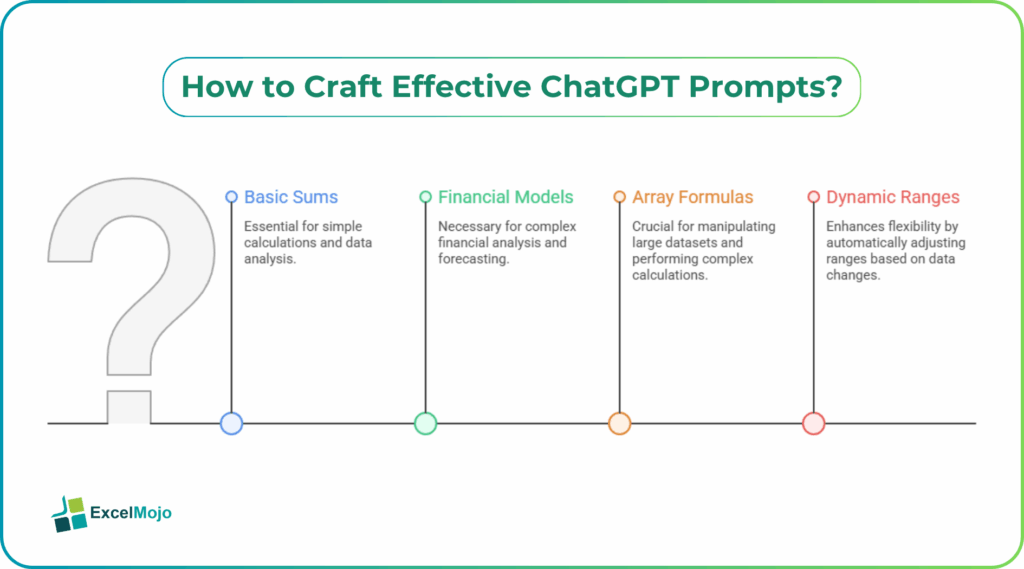
From Basic Sums to Financial Models
ChatGPT Excel formula generator handles escalating complexity. As a beginner, you can start with revenue totals: “Sum monthly sales where region code equals East.”
=SUMIFS(SalesRange,RegionRange,”East”)
Progress to more sophisticated calculations like EBITDA margins.: “Divide operating income by revenue, format as percentage, handle division by zero.”
=IFERROR(OperatingIncome/Revenue,”N/A”)
For DCF builds, you can use the prompt,”NPV formula using 8 percent discount rate on cash flows F10:F25.”
=NPV(0.08/12,F10:F25)*12+InitialInvestment
Investment banking analysts chain these into full schedules, prompting “convert to XIRR for uneven periods.” ChatGPT seamlessly handles XIRR conversions while preserving model linkages.
Array Formulas and Dynamic Ranges
Modern Excel thrives on arrays, and ChatGPT excels here. For example, you may use the following prompt – “dynamic array for top 10 products by margin using SORT and FILTER.”
=SORT(FILTER(ProductRange,MarginRange>0),{1,1},{,-1})
Prompt to production Excel formulas shine with SEQUENCE integration. “Generate growth rates from 2 percent to 12 percent across 10 years.”
=SEQUENCE(10,,0.02,0.01)
Validation is very easy paste into Excel, press F9 on cells to trace precedents.
Step-by-Step Formula Development
Building production formulas follows a structured process.
- Define exact inputs: column letters, conditions, output location.
- Prompt ChatGPT with sample data description.
- Copy formula, test on real dataset subset.
- Return errors for refinement: “This returns zero; data has text values.”
Variance analysts use this for bridge calculations. “Formula for price volume mix variance between actual and budget.”
=(ActualQty*ActualPrice)-(ActualQty*BudgetPrice)-(BudgetQty*BudgetPrice)
Named ranges added in follow-up prompts ensure scalability.
Common Pitfalls and Validation Steps
ChatGPT occasionally misses absolute references or assumes clean data. Formulas break on hidden rows or merged cells. Always specify “use $A$1 style references” and “handle blanks with IFERROR.” Test across data samples representing worst cases for best results.
Cross-check SUMPRODUCT arrays manually on 10 rows before full deployment. Excel’s Formula Auditing tools under Formulas tab reveal dependencies. Finance teams audit XLOOKUP outputs against known benchmarks, ensuring compliance for board reports.
Advanced Applications for Finance Pros
Seasoned analysts generate scenario analysis tables through conversation. “Build IRR sensitivity table for revenue growth 3-15 percent by 2 percent steps.” ChatGPT creates Data Table setups with row input cells linked to sliders. Monte Carlo simulations for risk analysis come from prompts like “create 1000 random return scenarios using 12% average and 20% volatility.”
=NORM.INV(RANDARRAY(1000),0.12,0.20)
Dashboard builders can use prompts like “GETPIVOTDATA alternatives for external data sources.” Results integrate smoothly with Power BI or Tableau for dashboard development. Iterative prompting resolves most edge cases through a few refinement cycles.
Production Deployment Checklist
Validated formulas reside in standardized templates. Analysts organize tested ChatGPT Excel formulas into personal libraries, categorized by purpose such as multi-criteria sums or date variance calculations.
Version control via shared OneDrive ensures team consistency. Regular prompts update logic for tax rule changes or new GAAP standards.
Conclusion
ChatGPT Excel formulas transform manual coding into conversational development, delivering production-ready logic instantly. Finance professionals gain many hours on a weekly basis for modeling and analysis. Apply one prompt from this article in your next workbook and notice how efficiency compounds across reporting cycles.
Frequently Asked Questions (FAQs)
ChatGPT produces syntactically correct formulas matching ExcelJet standards for most of the standard financial calculations. Validation on representative datasets ensures reliability for production use.
Specificity drives results; name functions like FILTER or SORT, define ranges explicitly, and include sample data structure. Iterative refinement addresses edge cases through follow-up questions.
ChatGPT accelerates development significantly but requires validation for compliance-sensitive applications. Experienced analysts leverage it for rapid prototyping and routine calculations.
ChatGPT natively generates SPILL-enabled formulas using SEQUENCE, FILTER, and SORT functions. Results automatically expand to fit output ranges in modern Excel versions.
Recommended Articles
Continue with these related resources when you want the next practical step in this topic.
- How To Use AI With Excel
- How AI Is Transforming Data Analysis In Excel (2026 Complete Guide)
- Excel AI And Machine Learning: Beginner’s Guide For 2026
- The Most Useful AI Features in Excel: Unlock Smarter Spreadsheets in 2026
- Top Skills for AI-Enabled Excel in 2026 (Must-Master List)
Explore the full Excel AI Automation and Analysis guide or browse Excel Resources.