


Introduction
Finance analysts spend hours deciphering cryptic Power Query M code that breaks when source formats change. A GL extract arrives with new columns, transaction files include unexpected date formats, and sales data splits across inconsistent CSV structures. Plenty of time goes in tweaking Table.TransformColumns and custom functions just to refresh a simple variance report. Power Query AI ETL automation eliminates this entirely. Tools like Copilot generate complete ETL pipelines from plain English descriptions, delivering clean datasets without manual syntax battles.
Data professionals describe requirementsin the following way. “clean GL data, remove duplicates by account code, pivot transactions by month,” makes AI produce production-ready queries that handle edge cases automatically. This guide covers Power Query AI ETL without M code strategies, AI enhanced Power Query ETL workflows, Power Query AI data transformation patterns, and no M code ETL Power Query AI techniques. You will learn about specific prompts, financial examples from consolidations to forecasting feeds, and systematic validation approaches.
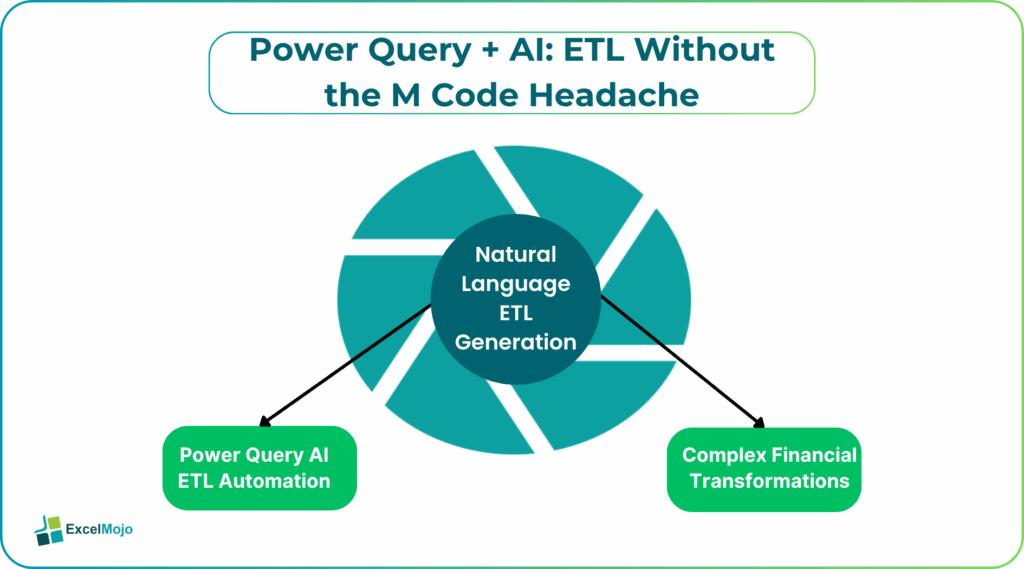
Natural Language ETL Generation
Copilot integrates directly into Power Query, reading source data structure automatically. Analysts highlight messy transaction tables and prompt “remove blank rows, standardize date formats, extract quarter from date column.” The assistant generates sequential steps:
- Source – Raw ERP extract
- Removed Top Rows – Skip header junk
- Changed Type – Date column to proper format
- Added Custom – Quarter = Date.QuarterOfYear
- Removed Duplicates – Account code combinations
No M code exposure is required. Finance teams refresh multiple column GL files through conversational refinement. When you type a prompt like “Also flag transactions over $50k.” Copilot adds conditional columns instantly.
Complex Financial Transformations
Power Query AI ETL without M code handles sophisticated logic. For example,supply AI with a prompt like “Unpivot sales data by product category, calculate YoY growth, rank by margin contribution.” AI constructs multi-step pipelines:
= Table.Unpivot(Source, {“Jan”,”Feb”,”Mar”}, “Month”, “Sales”)
= Table.AddColumn(PreviousStep, “YoY”, each [Sales]/[Sales Prior Year])
= Table.Sort(PreviousStep,{{“Margin %”, Order.Descending}})
Variance analysts use these tools to create bridge tables comparing actual results against budgets. They prompt AI with “reshape P&L data by function and add variance columns,” generating clean Power BI-ready outputs without writing custom M code. Simple follow-up prompts resolve most data irregularities automatically.
Multi-Source Consolidation
AI enhanced Power Query ETL merges disparate feeds seamlessly. “Combine GL, AP aging, and sales files by common ID, fill missing months with zeros.” Copilot orchestrates:
= Table.NestedJoin(GLData,{“AccountID”},APData,{“AccountID”},”AP”,JoinKind.LeftOuter)
= Table.ExpandTableColumn(PreviousStep, “AP”, {“Balance”}, {“AP_Balance”})
= Table.FillDown(PreviousStep,{“Sales”,”AP_Balance”})
FP&A teams consolidate regional files monthly. “Append East/West sales with currency conversion,” makes AI generate exchange rate lookups and standardized date alignment automatically. Production pipelines emerge from single prompts.
Dynamic Parameter Integration
Power Query AI data transformation shines with user inputs. Analysts prompt Copilot with “Create parameter dropdown for fiscal year selection across all queries.” Copilot builds interconnected parameter tables that link seamlessly throughout the ETL pipeline.
FiscalYear = List.Select({2024,2025,2026}, each Text.Contains(Text.From(_), UserSelection))
Scenario modelers connect these parameters to sensitivity analysis workflows. They prompt “Filter cash flows by selected growth scenario,” enabling dynamic filtering that flows through all pipeline stages automatically. Manual query duplication becomes unnecessary as changes propagate throughout the entire transformation chain.
Production Deployment Workflow
Teams implement AI-generated ETL pipelines through a systematic four-step process that ensures reliability from the start.
- Describe source structure and target output verbally through natural language prompts.
- Generate initial pipeline through Copilot’s conversational interface.
- Test refresh operations on representative dataset samples.
- Refine edge cases through iterative follow-up prompts.
Forecasting analysts create reusable “monthly close pipeline templates” that standardize common transformations across reporting cycles. When source layouts evolve, AI seamlessly adapts the underlying logic to new structures automatically. A simple instruction like “Update for new revenue categories” reconfigures the entire transformation sequence instantly.
Critical Validation Practices
AI occasionally misinterprets data types or assumes clean hierarchies. Always verify Changed Type steps match the source reality. Nested merges require key column confirmation. Also, binary buffers prevent intermediate refresh delays during testing.
Essential checks:
- Preview 100 rows before full refresh
- Validate aggregation totals against known benchmarks
- Confirm date hierarchies parse correctly across locales
- Test parameter edge cases (blank selections, invalid inputs)
Teams maintain ETL manifest sheets documenting source-to-target mappings. Standardized prompt libraries ensure consistent transformations across analysts.
Advanced Financial Applications
Experienced analysts create Monte Carlo cash flow generators using prompts like “Create 1000 scenarios varying revenue growth 2-12 percent and margin compression.” AI builds Table.FromRecords with random distributions that feed into statistical summaries automatically.
What-if analysis pipelines come from prompts like “build sensitivity table across discount rates 6-12 percent.” Dynamic arrays automatically expand scenario results into model grids. Power BI consumes the cleaned datasets through single refresh operations.
Enterprise Governance Integration
Production ETL serves executive dashboards tracking pipeline health. Query diagnostics log row counts, refresh durations, and error conditions. Parameter audit trails capture user selections across fiscal periods. Automated validation compares aggregation totals against control totals.
Teams implement data lineage visualization mapping source tables through transformations to final measures. Systematic governance transforms ad-hoc cleaning into reliable production processes.
Conclusion
Power Query AI ETL automation eliminates M code barriers between raw data and actionable insights. Finance professionals build enterprise pipelines conversationally. Apply one ETL transformation from this guide in your next pipeline; data reliability builds steadily through each reporting period.
Frequently Asked Questions (FAQs)
AI handles a significant percentage of standard financial ETL requirements through natural language. Complex custom logic still requires M code refinement, though AI accelerates prototyping significantly.
Copilot detects new columns and infers data types from sampling. Refreshable parameters adapt pipelines to evolving source structures without manual intervention.
Row count reconciliation, aggregation total checks, and parameter boundary testing confirm pipeline integrity. Standardized prompt templates maintain consistency across implementations.
Yes, binary buffering and query folding optimize performance for million-row datasets. Incremental refresh patterns handle daily delta loads efficiently.
Recommended Articles
Continue with these related resources when you want the next practical step in this topic.
- How To Use AI With Excel
- How AI Is Transforming Data Analysis In Excel (2026 Complete Guide)
- Excel AI And Machine Learning: Beginner’s Guide For 2026
- The Most Useful AI Features in Excel: Unlock Smarter Spreadsheets in 2026
- Top Skills for AI-Enabled Excel in 2026 (Must-Master List)
Explore the full Excel AI Automation and Analysis guide or browse Excel Resources.