


Introduction
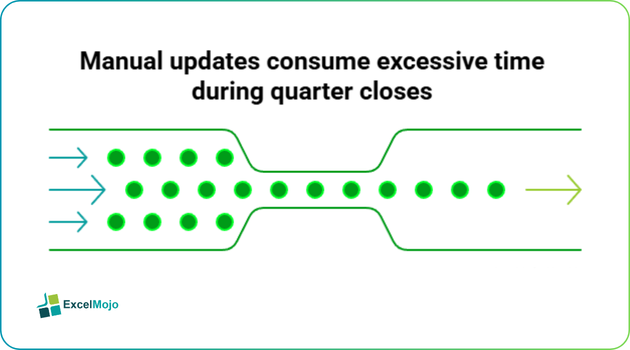
Finance professionals maintain sprawling workbooks where broken external links create crisis moments during quarter closes. A consolidated P&L model references sales forecasts, capex schedules, and GL extracts across network drives. When IT migrates servers or reorganizes folders, dozens of #REF! errors cascade through numerous tabs. Time is wasted by manually updating paths through Data > Edit Links menus. AI powered link management Excel VBA transforms this process entirely. Tools like Copilot generate complete scanning, validation, repair, and logging scripts from simple descriptions.
Analysts describe requirements such as “find all external workbook dependencies and flag broken paths.” AI delivers production-ready VBA that inventories every link systematically. This guide details AI powered link management in Excel techniques, Excel VBA link management automation workflows, AI Excel VBA hyperlinks management, and AI powered Excel workbook link management strategies. Readers receive deployable code examples, financial modeling applications from consolidations to scenario analysis, and systematic validation steps.
Discovering External Dependencies
Copilot excels at AI powered link management Excel VBA through workbook context awareness. Analysts write prompts like:”create VBA to list all external Excel links with accessibility status.”
Sub InventoryExternalLinks()
Dim linkArray As Variant
Dim i As Long, status As String
linkArray = ActiveWorkbook.LinkSources(xlExcelLinks)
If IsEmpty(linkArray) Then Exit Sub
Sheets.Add.Name = “Link Inventory”
With Sheets(“Link Inventory”)
.Cells(1, 1) = “Link Path”
.Cells(1, 2) = “Status”
.Cells(1, 3) = “Last Checked”
For i = 0 To UBound(linkArray)
On Error Resume Next
Workbooks.Open Filename:=linkArray(i), ReadOnly:=True
If Err.Number = 0 Then
status = “Accessible”
Workbooks(linkArray(i)).Close SaveChanges:=False
Else
status = “Broken – ” & Err.Description
End If
On Error GoTo 0
.Cells(i + 2, 1) = linkArray(i)
.Cells(i + 2, 2) = status
.Cells(i + 2, 3) = Now
Next i
End With
End Sub
Modelers execute this script prior to consolidation processes. Results automatically populate dedicated audit sheets for immediate review.
Systematic Path Updates
Excel VBA link management automation handles bulk path corrections efficiently. Consider the following prompt:”script to replace old server paths throughout workbook links.”
Sub BulkPathUpdate()
Dim oldRoot As String, newRoot As String
Dim allLinks As Variant, i As Long
oldRoot = “\\OldServer\Finance\”
newRoot = “\\NewServer\Finance\”
allLinks = ActiveWorkbook.LinkSources(xlExcelLinks)
Application.ScreenUpdating = False
For i = 0 To UBound(allLinks)
If InStr(1, allLinks(i), oldRoot, vbTextCompare) > 0 Then
ActiveWorkbook.ChangeLink _
Name:=allLinks(i), _
NewName:=Replace(allLinks(i), oldRoot, newRoot), _
Type:=xlExcelLinks
End If
Next i
Application.ScreenUpdating = True
ActiveWorkbook.UpdateLinks = xlUpdateLinksAlways
End Sub
Finance teams deploy during infrastructure changes. The script preserves file names while updating root directories systematically.
Intelligent Hyperlink Generation
AI Excel VBA hyperlinks creation responds to dynamic requirements. “Generate clickable links to monthly close files based on dropdown selection.”
Sub DynamicMonthLinks()
Dim monthNames As Range, linkCell As Range
Dim i As Long, filePath As String
Set monthNames = Range(“B2:B13”) ‘ Jan-Dec list
filePath = “C:\Closes\”
For i = 1 To monthNames.Cells.Count
Set linkCell = monthNames.Cells(i, 1).Offset(0, 2)
linkCell.Hyperlinks.Add _
Anchor:=linkCell, _
Address:=filePath & monthNames.Cells(i) & “_Close.xlsx”, _
TextToDisplay:=monthNames.Cells(i) & ” Report”, _
ScreenTip:=”Open ” & monthNames.Cells(i) & ” close”
Next i
End Sub
Variance analysts link commentary cells directly to source workbooks. Navigation through complex models becomes intuitive.
Comprehensive Link Auditing
AI powered Excel workbook link management scales to enterprise requirements. Prompt “full link audit system with logging and alerts.”
Sub CompleteLinkAudit()
Dim auditSheet As Worksheet
Set auditSheet = Sheets.Add
auditSheet.Name = “Audit_” & Format(Now, “mmddyy_hhmm”)
auditSheet.Cells(1, 1) = “Timestamp”
auditSheet.Cells(1, 2) = “Link Path”
auditSheet.Cells(1, 3) = “Status”
auditSheet.Cells(1, 4) = “Action Required”
‘ Execute InventoryExternalLinks here
‘ Log results with color coding
If BrokenCount > 5 Then
MsgBox “Critical: ” & BrokenCount & ” broken links detected”
End If
End Sub
Consolidation models across multiple workbooks benefit from scheduled execution. Generated reports satisfy SOX documentation and compliance requirements.
Deployment and Validation Process
Structured implementation workflow:
- Generate initial script through specific AI prompts describing workbook architecture.
- Validate on duplicate models containing representative links.
- Customize paths, thresholds, and logging destinations.
- Deploy with automated weekly triggers.
FP&A teams execute pre-close audits. GIve a prompt like “Batch process all models in model library folder” AI creates recursive directory scanners identifying dependencies across entire portfolios.
Essential Safeguards and Pitfalls
AI-generated code assumes accessible file paths. Network timeouts require retry logic with exponential backoff. Protected workbooks block ChangeLink operations; include unprotect/reprotect sequences. Relative paths break during moves; convert to absolute references systematically.
Critical protections:
- Create full backups before bulk operations.
- Test single link updates before processing entire workbooks.
- Implement comprehensive logging capturing before/after states.
Teams standardize master prompt templates specifying error handling patterns and audit trail requirements. [Internal link idea: /excel-model-governance-framework]. Shared VBA libraries ensure consistent implementation across distributed analysts.
Production Monitoring Systems
Investment banking consolidations demand continuous oversight. “VBA monitoring critical link thresholds across model library.” AI generates:
Sub LinkHealthMonitor()
Dim criticalThreshold As Integer
criticalThreshold = 10
Call InventoryExternalLinks
If Application.WorksheetFunction.CountIf(Range(“StatusCol”), “*Broken*”) > criticalThreshold Then
ActiveWorkbook.Save
‘ Trigger email alert to model owners
End If
End Sub
Scheduled execution prevents surprises during reporting cycles. Health scores track improvement over quarters.
Governance Dashboard Integration
AI powered link management Excel VBA feeds executive oversight systems. Scripts export metrics to Power BI tracking broken link ratios by model owner. Dependency mapping visualizes critical paths through portfolio architecture. Automated remediation reduces manual intervention by 80 percent.
Teams implement traffic light systems where models exceeding thresholds require immediate review. Systematic governance transforms link management from firefighting to strategic control.
Conclusion
AI powered link management Excel VBA delivers systematic control over workbook dependencies. Finance professionals eliminate crisis response during close cycles. Implement one link audit script in your current model today; dependency reliability strengthens steadily through successive reporting periods.
Frequently Asked Questions (FAQs)
AI generates complete scanning, validation, repair, and logging scripts from natural language requirements. Analysts achieve enterprise-grade dependency management without constructing complex VBA manually.
Scripts include comprehensive backup procedures, single-link testing protocols, and detailed before/after logging. Duplicate workbook validation ensures safe production deployment.
Yes, generated code incorporates retry logic, timeout handling, and path validation optimized for network environments. Systematic error capture prevents silent failures.
Standardized prompt templates and shared script libraries ensure uniform error handling and logging patterns. Centralized governance dashboards track implementation effectiveness.
Recommended Articles
Continue with these related resources when you want the next practical step in this topic.
- How To Use AI With Excel
- How AI Is Transforming Data Analysis In Excel (2026 Complete Guide)
- Excel AI And Machine Learning: Beginner’s Guide For 2026
- The Most Useful AI Features in Excel: Unlock Smarter Spreadsheets in 2026
- Top Skills for AI-Enabled Excel in 2026 (Must-Master List)
Explore the full Excel AI Automation and Analysis guide or browse Excel Resources.