


Introduction to Real-World AI Excel Examples
Excel today is not just about formulas and macros. It has expanded beyond manual formula writing tasks that are error-prone to the zenith of accuracy through AI. After Microsoft has introduced Copilot and built-in AI features, users today are not just able to analyze trends, and automate repetitive tasks, they can perform complex tasks like workflow streamlining completely via Ai. All this is done within the comfort of using plain natural language, without technical expertise.
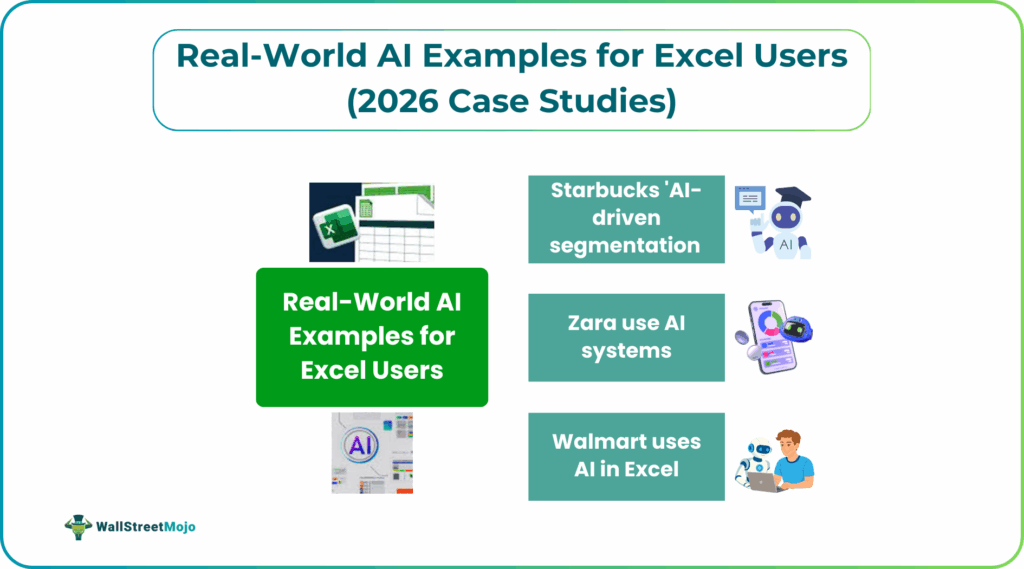
Users can ask Excel to perform complex tasks like summarizing financials and generating visualizations without writing complex formulas, turning spreadsheets into AI-powered decision tools. This demonstrates how Excel is now used for work like predictive analytics and making important business decisions rather than just data storage. We discuss some practical AI Excel examples and their challenegs in this article.
Finance & Accounting AI Examples
Modern finance teams increasingly rely on AI to work marvels on their spreadsheets and generate reports without errors. AI-powered models enhance accuracy and allow finance teams to test scenarios directly within Excel-based workflows.
#1 – Cash Flow Forecasting Models
Current finance teams use Excel that is AI-powered to forecast cash flow. These connect the general ledger, accounts receivable and payable data for predictive models. For AI Excel examples, platforms such as Datarails use machine learning to analyze trends to predict future liquidity.
These systems identify trends that may impact liquidity. AI models continuously get retrained as new data is added. This helps improve the forecast accuracy over time.
Finance teams can run real-time scenarios using AI, such as revenue declines, cost inflation, etc. inside Excel. This allows financiers anticipate short-term cash gaps and make financial plans in advance AI-driven forecasting reduces manual spreadsheet errors when tapping into the excellent features for financial manipulation Excel offers.
#2 – Dynamic Sales Pipeline Dashboards
AI-powered analytics tools connect CRM data with machine learning models. This useful scenario can be used to generate sales pipeline forecasts and deal-conversion probabilities. These systems analyze how long deals stay in each pipeline stage, use the historical close rates and optimize dynamic sales.
AI in Excel like Copilot usually identifies the leads that are most likely to convert. It can also identify the various bottlenecks that can slow down revenue generation. Forecasts and risk scores are exported into Excel-style dashboards for finance and sales in real world Excel AI cases.
Revenue projections become more accurate than traditional predictive forecasting. Sales teams can prioritize deals that are winsome and adjust strategies earlier in the quarter. Excel remains the reporting layer, while AI handles the complexity behind the scenes.
#3 – Customer Segmentation Automation
AI models can be used to segment customers based on their behaviors. This includes their purchase frequency, product preferences, and how they engage in the product pages. Unlike traditional methods of segmentation based on demography, AI and ML adapts to customer behavior changes.
For example, Starbucks uses AI-driven segmentation to personalize offers in its loyalty program. These models analyze transaction history and people engagement to offer promotions based on them.
It exports these outputs to spreadsheets so that the marketing and finance teams can analyze the amount of revenue generated and plan marketing activities accordingly. Excel users can get advanced customer segmentation with the help of AI without needing data science expertise.
Operations & Supply Chain Examples
AI is the main driving factor for efficiency in operations and supply chains. They help organizations balance cost, and identify risks. While many advanced AI models run in the background, Excel is the main reporting tool for operational teams.
#1 – Inventory Optimization Tracker
Large retailers such as Walmart and Zara use AI systems to optimize inventory levels across their stores in different locations. This is one of the main AI Excel examples for operations.
These systems analyze sales rates, how they change seasonally, regional demand, and other sales related information to track inventory. AI recommendations help reduce overstocking while reducing costly stock outs.
Inventory targets are monitored through Excel spreadsheet-based dashboards that track how much is reordered and stocked. AI improves accuracy, while Excel ensures transparency and control.
#2 – Demand Forecasting Workflows
In a practical AI-powered Excel demand forecasting example, a company like Walmart uses AI in Excel to predict future product demand from sales, promotions, and weather data. These models adjust quickly when demand changes.
Retailers and manufacturers use these forecasts to plan production, buy the right materials, and manage deliveries. We get results through Excel dashboards, helping teams review forecasts and collaborate efficiently.
Common Challenges & Solutions
Let us look at some of the common challenges faced when using AI in Excel.
#1 – Data Quality & Integration Issues
AI models depend on clean, consistent, and well-formatted data. Poor data quality leads to inaccurate forecasts and may give ad-hoc results, causing problems for business users.
Solution: Implement centralized data pipelines, validation rules, and automated reconciliation. Many organizations use finance-controlled data layers to ensure accuracy before AI models run. Excel-based review checkpoints help catch anomalies early.
#2 – Explainability & Trust in AI Outputs
Many AI models give you the output but are unable to explain how they did it. Such models can reduce confidence among finance teams. If users do not understand how forecasts are generated, it isa difficult to trust and adopt them.
Solution: Use AI model that clearly explain the steps behind predictions. Excel dashboards with clear assumptions increase transparency.
When we enter large amounts of data, it can be time-consuming and error-prone.
Solution: AI-based data entry solutions can be used to reduce the risk of human error. These include Optical Character Recognition (OCR) technology that can automatically extract information from documents. This accelerates the data entry process.
It can be done by using a scanner to capture the invoice image. Then, use an OCR tool or a service that supports extracting text from images. The tool will process the image and extract text. In this scenario, it could be the Invoice Number, Supplier, Date, and Amount. Create an Excel template with these parameters as columns and populate the data in them.
When we buildcomplex queries or pivot tables, there are bound to be errors especially when the users have limited Excel formula knowledge.Solution: NLP-powered tools can understand and process natural language queries and allow users to ask questions in plain English. These tools can then generate the corresponding Excel formulas or queries.
Frequently Asked Questions (FAQs)
Practical AI Excel examples include cash-flow forecasting, demand forecasting, inventory optimization, sales pipeline dashboards, and customer segmentation. AI handles the complex analysis in the background, while results are shared through Excel dashboards for planning and decision-making.
AI in Excel significantly reduces time spent on manual data entry, formula building, and error correction. Tasks like forecasting, reporting, and scenario analysis that once took days can now be done in minutes using natural language and automated models.
Yes, most AI Excel examples can be replicated without coding. Built-in tools like Excel Copilot and AI-powered platforms allow users to run forecasts, build dashboards, and test scenarios using plain language, without technical or data science expertise.
Recommended Articles
Continue with these related resources when you want the next practical step in this topic.
- How To Use AI With Excel
- How AI Is Transforming Data Analysis In Excel (2026 Complete Guide)
- Excel AI And Machine Learning: Beginner’s Guide For 2026
- The Most Useful AI Features in Excel: Unlock Smarter Spreadsheets in 2026
- Top Skills for AI-Enabled Excel in 2026 (Must-Master List)
Explore the full Excel AI Automation and Analysis guide or browse Excel Resources.