


Introduction to AI tools for dynamic arrays
Finance analysts struggle with Excel’s dynamic array functions that promise automatic expansion but deliver cryptic errors when data structures vary. A FILTER formula works perfectly on clean test data but returns SPILL errors when transaction files include unexpected blanks or text values. Hours disappear troubleshooting SORTBY precedence or UNIQUE case sensitivity across 50-column datasets. Top AI tools for Excel dynamic arrays 2026 solve this completely. Assistants like Copilot generate SPILL-enabled formulas from plain English descriptions, handling edge cases automatically.
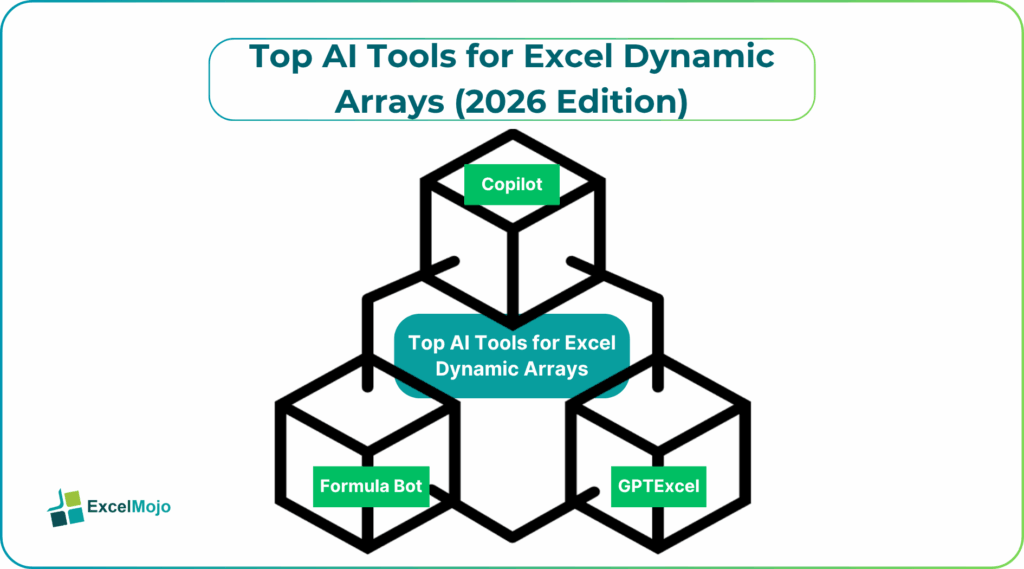
Data professionals describe requirements such as “extract top 10 products by margin excluding zeros, sorted descending with running totals.” AI delivers production-ready SEQUENCE, FILTER, and SCAN combinations that expand cleanly. This guide ranks AI tools for dynamic arrays in Excel, Excel dynamic arrays AI helpers, 2026 AI Excel array tools, and AI formula generator for dynamic arrays Excel options. We present specific prompts, financial modeling examples from consolidations to scenario analysis, and validation workflows. This helps teams transform raw datasets into dynamic dashboards without mastering array syntax manually.
Microsoft Copilot: Native Dynamic Array Leader
AI tools for dynamic arrays – Copilot integrates directly into Excel 365, reading workbook context automatically. Analysts highlight sales tables and prompt “show top 5 regions by Q1 growth excluding negative values.” Copilot generates the following formula.
=SORTBY(FILTER(RegionData,(GrowthCol>0)*(SalesCol>0)),GrowthCol,-1)
The formula spills 5 rows automatically, ready for charts. Finance modelers request “12-month rolling sales rank with percentage of total.” Copilot chains SEQUENCE with SUMX for perfect results on the same:
=INDEX(SORTBY(SalesTable,RevenueCol,-1),SEQUENCE(12,,1,1),{1,2})
No array syntax knowledge is required. Iterative refinement handles most of the edge cases through conversational follow-ups.
GPTExcel: Complex Array Specialist
GPTExcel excels at nested dynamic arrays beyond Copilot’s native scope. For example, “Create an expanding table showing cumulative revenue by product with rank changes month-over-month.” Output combines REDUCE with SPILL:
=REDUCE(“”,SEQUENCE(12),LAMBDA(acc,i,SPILL(VSTACK(acc,MonthTable[i]*RankArray))))
Variance analysts build bridge tables spanning multiple criteria. Free tier supports 4 daily generations and pro unlocks unlimited VBA-array hybrids. Financial modelers favor its LAMBDA function mastery for custom array logic.
Numerous.ai: Cell-Level Array Intelligence
Numerous.ai embeds AI directly in cells through =AI() functions. Type =AI(“rank these margins descending, show top 10 with percentages”) next to your dataset. The results will spill automatically using RANKX equivalents:
=AI(“extract unique customers, sort by lifetime value, add 12-month growth”)
FP&A teams clean transaction logs instantly with this method. Cell-by-cell processing scales to million-row datasets without query editor navigation. Pricing starts at $10 monthly with a generous free tier for testing.
Formula Bot: Bulk Array Generation
Formula Bot drags array formulas across entire columns in AI tools for dynamic arrays. If you type a prompt such as “Generate FILTER for each row excluding blanks,” the AI creates personalized dynamic arrays per record:
=DRAG(FILTER(Table[Col1],Table[Col1]<>””))
Forecasting analysts build scenario tables spanning high growth rates instantly. Bulk processing handles quarterly consolidations across 50 source files simultaneously. Its monthly pricing of $10 supports enterprise volumes.
| Tool | Array Strength | Finance Use Case | 2026 Pricing |
|---|---|---|---|
| Copilot | Native SPILL | Dashboard feeds | $20/mo |
| GPTExcel | LAMBDA mastery | Model bridges | $7/mo Pro |
| Numerous.ai | Cell arrays | Data cleaning | $10/mo |
| Formula Bot | Bulk drag | Scenario tables | $10/mo |
Copilot leads seamless integration; GPTExcel owns complex financial arrays.
Building Dynamic Scenario Tables
Step-by-step AI array workflow:
- Describe table structure and expansion requirements in plain language.
- Generate base SPILL formula through natural language prompts.
- Test on representative dataset slices.
- Refine sorting/filtering through follow-up instructions based on your requirements.
Cash flow modelers prompt “build sensitivity table across discount rates 6-12% by 0.5% steps.” AI generates the formula as follows:
=MAKEARRAY(13,7,LAMBDA(r,c,NPV((5.5+c*0.5)/12,CashFlows)))
Working capital optimization generators emerge from “create 1000 DSO scenarios with seasonal payment patterns.” RANDARRAY feeds Days Sales Outstanding calculations, spilling cash conversion cycle distributions automatically.
Common Implementation Challenges
AI occasionally assumes perfect data hierarchies. FILTER formulas fail when nested conditions create empty spill ranges. Always specify a condition like “handle blank spill areas with IFERROR.” SORTBY precedence requires explicit column numbering in prompts to work properly.
Validation essentials:
- Preview first 50 spilled rows before full refresh
- Test array expansion on datasets with missing values
- Confirm UNIQUE handles case variations appropriately
- Verify SEQUENCE-driven tables maintain proper bounds
Teams standardize array prompt templates ensuring consistent SPILL behavior. Shared formula libraries accelerate adoption across modeling groups.
Advanced Financial Array Applications
Seasoned analysts generate portfolio return waterfalls spanning 50 securities. “Rank holdings by Sharpe ratio, show cumulative contribution, highlight top/bottom deciles.” AI seamlessly chains SORTBY, SCAN, and conditional SPILL functions to deliver flawless portfolio waterfalls.
What-if analysis prompts generate “build probability-weighted outcome tables from Monte Carlo results.” FREQUENCY functions spill clean decile bands complete with confidence intervals. Power BI integration works without any formula tweaks.
Production Governance Integration
Enterprise deployments track array health through SPILL diagnostics. Scripts validate expansion ranges against expected row counts. Parameterized arrays adapt to changing dataset dimensions automatically. Data lineage maps spilled outputs back to source transformations.
Teams implement array performance dashboards monitoring refresh durations and memory consumption. Systematic governance transforms dynamic arrays from experimental features into reliable production components.
Conclusion
Top AI tools for dynamic arrays in Excel 2026 eliminate syntax barriers between complex requirements and SPILL functionality. Finance professionals build expanding tables conversationally. Apply one array formula from this guide today; You will notice your modeling efficiency compounds across quarters.
Frequently Asked Questions (FAQs)
Copilot integrates natively with workbook context, generating production-ready FILTER/SORTBY combinations that expand cleanly across financial datasets.
AI incorporates IFERROR wrappers and blank handling automatically when prompted specifically. Iterative refinement addresses remaining edge cases through conversational adjustments.
Yes, tools generate optimized LAMBDA functions and query folding patterns suitable for million-row datasets. Bulk array generators handle quarterly consolidations efficiently.
Row count reconciliation, spill range verification, and aggregation total checks ensure array outputs match expected dimensions and calculations.
Recommended Articles
Continue with these related resources when you want the next practical step in this topic.
- Excel Copilot: What It Is and How to Get Started In 2026
- Top 10 AI Tools For Excel Data Analysis
- The Best Excel AI Plugins You Should Try This Year
- Excel Copilot vs. ChatGPT: What’s Better for Your Spreadsheets?
- How to Integrate Gemini AI Directly in Excel Workbooks
Explore the full Excel AI Tools and Copilot guide or browse Excel Resources.