


Introduction to AI Excel Data Cleaning
Data in Excel is rarely clean when you first get it from different sources. Most datasets come with errors, inconsistent formats, missing values, etc. Before you can analyze the data further, you need to fix these issues. Traditionally, this process takes a lot of time. You need to apply formulas, filters, and manual checks to clean the data step by step. AI tools are changing how this works in 2026. Instead of doing everything manually, you can now use tools like Excel data cleaning ChatGPT to clean and transform data faster.
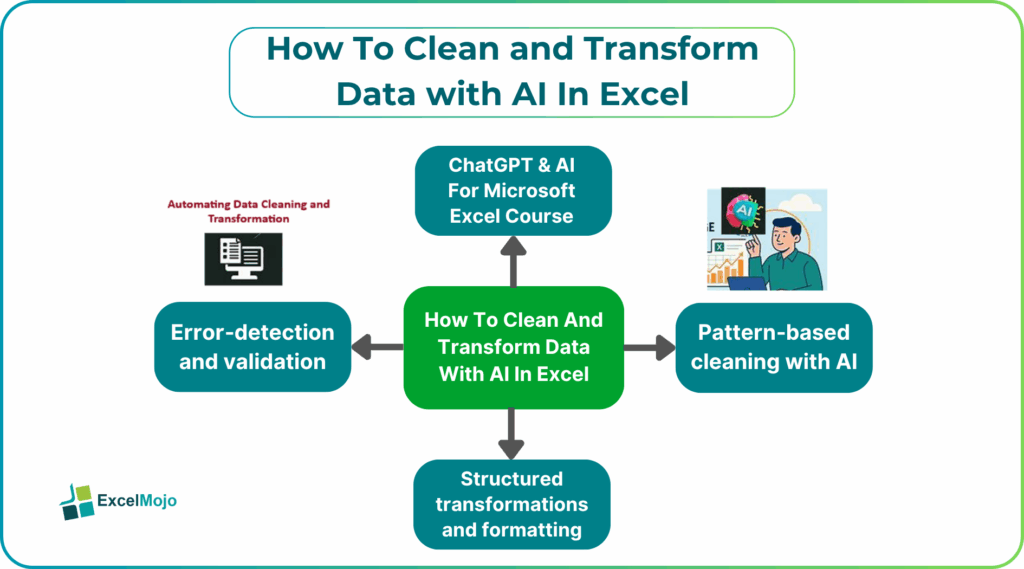
AI helps by identifying patterns, detecting errors, and suggesting corrections. You can describe what you want in simple language. Immediately, the system generates the steps or formulas for you. This makes data cleaning easier, even if you are not an expert in Excel. AI Excel data cleaning has completely changed how we clean and transform data.
Why Data Cleaning Is a Career‑Critical Skill
Data cleaning is one of the most important skills in Excel. No matter how advanced your formulas or dashboards are, the output will only be as good as the data you use. In most jobs, a large part of the work involves preparing data. This includes fixing errors, standardizing formats, and removing duplicates. Without clean data, analysis becomes difficult and the results are inaccurate. Employers place high emphasis on such a skill because it directly impacts decision-making. Clean data leads to accurate reports. Also, it improves overall efficiency. When your data is structured properly, you can apply formulas and build reports much faster. Using AI tools for AI Excel data cleaning, this process becomes quicker, allowing you to handle larger datasets with less effort.
Common Excel Data Problems
Data cleaning is one of the most important tasks in Excel, which requires skill. Even with advanced dashboards and formulas, your output will only be as good as the data you use. IN Excel related jobs in fields like finances, a large part of the tasks involves preparing data. This includes fixing errors, standardizing formats, and removing duplicates. Without clean data, analysis becomes unreliable. Employers value this skill because it directly impacts decision-making. When your data is structured properly, you can apply formulas and build reports much faster. While this is a tedious process manually, using AI in Excel improves the quality of output tremendously.
AI Techniques for Data Cleaning
AI uses multiple techniques for AI Excel data cleaning. Instead of applying a single function at a time, it can handle various problems together.
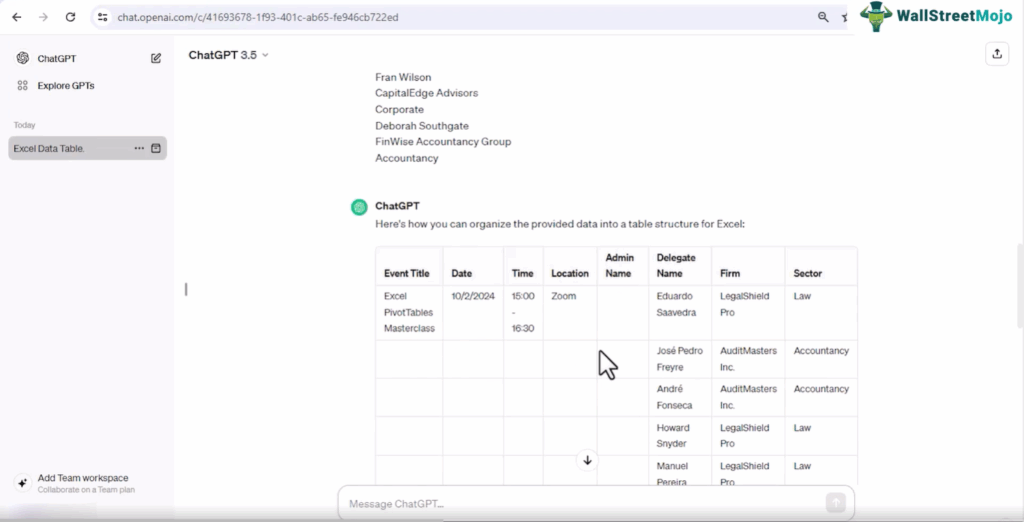
Video Screenshot: ChatGPT & AI For Microsoft Excel Course
Let us look at the different ways in which data cleaning can be done with AI in Excel.
#1 – Pattern‑based cleaning with AI
AI can detect patterns in data and use them to fix inconsistencies. For example, it can recognize different formats of phone numbers or dates and convert them into a standard format. It can also be used to identify patterns in text, such as email formats, and correct errors automatically. This is especially useful when working with large datasets where manual pattern detection is not practical.
When data cleaning is done in this systematic manner, it ensures that the work is done well and with accuracy, improving the overall results of the company.
#2 – Structured transformations and formatting
Data means converting raw data into a usable format. This includes several tasks such as splitting columns, merging fields, and applying consistent formatting to your data. When done manually, it takes a lot of effort. When AI is used in Excel, these tasks can be completed with some simple prompts. For instance, you may have tasks such as separating first and last names and sorting out addresses in a particular format. All this can be done with AI like Copilot and Gemini easily.
It can also apply formatting rules like capitalization, number formatting, and alignment. This reduces manual effort and ensures that the dataset is ready for analysis.
#3 – Error‑detection and validation
Another important use of AI in Excel is detecting of errors. It can detect errors that are not always visible when done manually. For instance, with manual checks it is difficult to identify duplicate records, missing values, and entries that are invalid. AI can detect this and also validate data by checking whether values fall within a reasonable range. For example, it can flag unusually high or low numbers. Once such errors are identified, you can use AI to fix them automatically and review them.
It improves data quality and reduces the chances of incorrect data analysis.
How AI‑Excel Courses Teach Data Skills
While AI makes life a whole lot easier, it is not a cakewalk mastering them by yourself. Using the trial-and-error method for data cleaning can take time. While AI tools help speed things up, it is important the professionals learn them through a structured learning path.
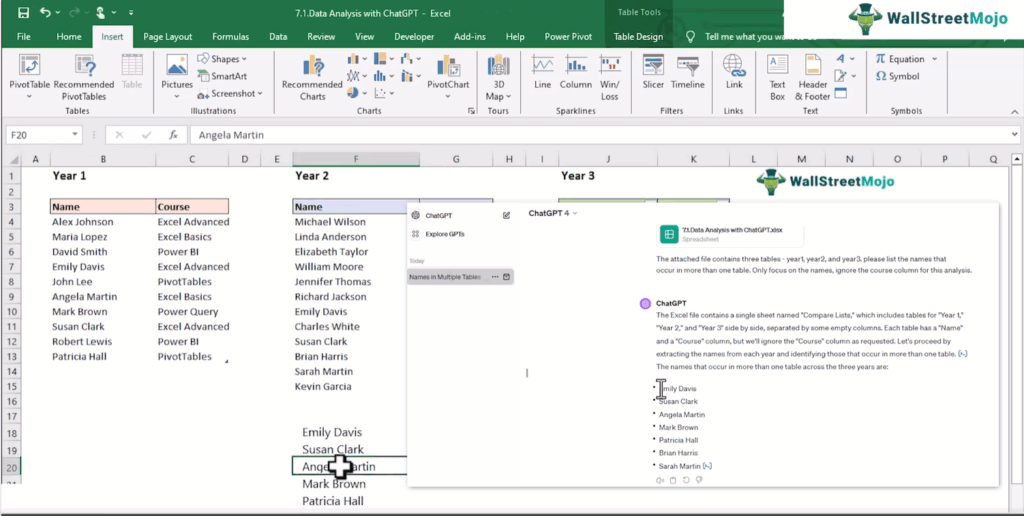
Video Screenshot: ChatGPT & AI For Microsoft Excel Course
AI-Excel courses focus on practical applications and not just theoretical learning. When you chose the right AI Excel course for data cleaning and transformation, you can learn to clean real datasets, apply transformations, and automate repetitive tasks. This helps you understand not just the tools, but also when to use them.
One such course we can recommend to you is the ChatGPT & AI For Microsoft Excel Course. It teaches how to use ChatGPT with Excel for tasks like data cleaning, formula generation, and reporting. The advantage of such courses is that they use a lot of practical cases and give you exercises and templates. This allows you to practice and apply what you learn immediately. It also helps you build confidence in handling real-world data.
Roles That Value Clean‑Data Skills
Clean data is important whenever you use Excel, be it to generate a report or draw charts to find your financial performance. It is important to learn where you can change dirty data fixing Excel in different roles as those who acquire this skill can take up a variety of roles. Some roles where data cleaning is especially valuable include:
- Data analysts who prepare datasets for insights
- Finance professionals working with financial reports
- Marketing analysts tracking campaign performance
- Operations teams managing business data
- HR professionals handling employee records
Such roles where data cleaning skills are required help improve accuracy and efficiency. It also makes reporting and decision-making easier. Using AI tools, professionals can handle complex datasets and deliver results faster. This increases productivity and makes their skills all the more valuable adding a unique touch to their roles. We hope you have received some clarity on the right roles to take up if you wish to pursue a career in data cleaning and transformation and how to go about acquiring this skill. Let us answer some questions which you may have doubts on.
Frequently Asked Questions (FAQs)
AI can automatically detect common issues like duplicates, missing values, and inconsistent formats. It applies corrections across the dataset without requiring manual effort. It can generate its own complex formulas when you specify what you wish to do in plain language. Such tasks require a lot of manual effort, mitigated by AI in Excel. It helps avoid repetitive tasks. It also improves accuracy by minimizing human errors.
Key techniques used by AI include pattern recognition, automated formatting, and data validation. AI identifies patterns in text and numbers, converts them into standard formats, and restructures data. It also checks for errors and ensures consistency. These methods make data transformation with AI faster and more reliable.
Any standard course worth its price like the one we mentioned in the article above includes real-world datasets, exercises, and templates. These help you practice cleaning and transforming data step by step. You can apply your knowledge at your workplace and ace it. This makes the learning process more practical and effective.
Recommended Articles
Continue with these related resources when you want the next practical step in this topic.
- How To Use AI With Excel
- How AI Is Transforming Data Analysis In Excel (2026 Complete Guide)
- Excel AI And Machine Learning: Beginner’s Guide For 2026
- The Most Useful AI Features in Excel: Unlock Smarter Spreadsheets in 2026
- Top Skills for AI-Enabled Excel in 2026 (Must-Master List)
Explore the full Excel AI Automation and Analysis guide or browse Excel Resources.