


Introduction
Macros built by finance teams are used to match records across large tables, such as mapping product IDs, cost centers, or GL codes from a master list into a working sheet. The classic pattern of nested loops over Range objects can quickly become a bottleneck, especially when checking hundreds of thousands of rows. VBA Dictionary objects ChatGPT fast lookups automated turns this problem on its head by using the Scripting.Dictionary object as an in‑memory hash table. This can test for key existence and return values in near‑constant time. When combined with ChatGPT or similar AI tools, analysts can describe the lookup logic in plain language and have AI generate the core dictionary‑based code. They can then refine it into a bulletproof, reusable routine. The result is automated fast lookups using VBA Dictionary and AI that shrink runtimes from minutes to seconds for many common reconciliation and mapping tasks.
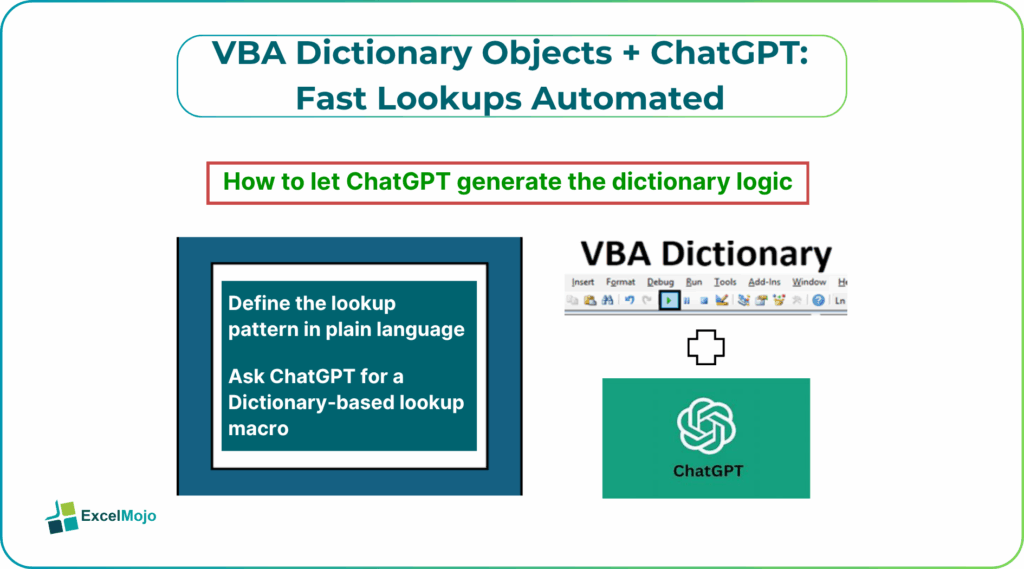
This article explains how to use VBA Dictionary objects with ChatGPT automation to build ChatGPT powered VBA Dictionary lookups. They can read data into a dictionary, perform rapid Exists checks or matches, and write results back to the sheet. The pattern meshes well with established guidance on using VBA dictionaries for searching and performance‑sensitive lookups. This that dictionaries significantly outperform linear‑scan loops over large arrays when the same keys are checked many times. For data‑focused Excel users, that means scalable, reusable macros that can be extended or re‑prompted as business rules evolve for VBA Dictionary Objects ChatGPT Fast Lookups Automated.
Why use Dictionary Instead of loops
Traditional VBA lookups often rely on scanning each row of a source range inside a For Each or For loop, which scales as
O(n)
O(n) for each lookup and becomes painfully slow as both the lookup table and the number of lookups grow. In contrast, a VBA Dictionary object stores key‑value pairs in memory and exposes methods such as .Add, .Exists, and indexed access, which behave more like hash tables than arrays. Typical VBA dictionary implementations in performance‑testing examples show that repeated lookups against a dictionary can be several times faster than equivalent array‑scan approaches, especially when the same keys are checked many times for VBA Dictionary Objects ChatGPT Fast Lookups Automated.
For example, instead of this pattern:
For Each cell In LookupRange
If cell.Value = SearchKey Then
Result = cell.Offset(, 1).Value
Exit For
End If
Next cell
a dictionary‑based pattern looks like:
Dim Dict As Object
Set Dict = CreateObject(“Scripting.Dictionary”)
For Each cell In LookupRange
Dict.Add cell.Value, cell.Offset(, 1).Value
Next cell
If Dict.Exists(SearchKey) Then
Result = Dict(SearchKey)
End If
This shift from repeated scanning to single‑time preload plus near‑instant lookup is the core of automated fast lookups using VBA Dictionary and AI.
How to let ChatGPT Generate the Dictionary Logic
ChatGPT powered VBA Dictionary lookups are most effective when the user clearly describes the lookup pattern and lets the AI draft the Scripting.Dictionary setup.
Step 1: Define the Lookup Pattern in Plain Language
Before writing any code, sketch out the behavior in a short description, such as:
- “Read a table where column A is ProductID and column B is ProductName, store that in a Dictionary, then for each row in the Working Sheet look up ProductName from ProductID and write it to a new column.”
- “Match a list of cost centers from a Master sheet to a Transaction sheet and flag whether each cost center exists.”
These statements become the basis for AI‑assisted prompts for VBA Dictionary Objects ChatGPT Fast Lookups Automated.
Step 2: Ask ChatGPT for a Dictionary‑Based Lookup Macro
A strong prompt for VBA Dictionary objects with ChatGPT automation includes:
- The worksheet names and column ranges.
- The key column and the value column.
- The target sheet and column where results should go.
Example:
“In VBA, I want to:
- Create a Scripting.Dictionary object.
- Read a table from Sheet named ‘Master’ where column A has ProductID and column B has ProductName.
- Add each ProductID as the key and ProductName as the value.
- Then loop through rows in Sheet named ‘Transactions’, where column A has ProductID, and write the matching ProductName to column C.
- If the ProductID does not exist in the dictionary, leave the result blank.
Write the full VBA macro for this, with comments explaining the dictionary steps.”
ChatGPT typically returns:
Sub FastLookup()
Dim Dict As Object
Dim LastRow As Long, i As Long
Dim ProductID As Variant, ProductName As Variant
Dim wksMaster As Worksheet, wksTrans As Worksheet
Set Dict = CreateObject(“Scripting.Dictionary”)
Set wksMaster = ThisWorkbook.Sheets(“Master”)
Set wksTrans = ThisWorkbook.Sheets(“Transactions”)
‘ Fill dictionary from Master
LastRow = wksMaster.Cells(wksMaster.Rows.Count, “A”).End(xlUp).Row
For i = 2 To LastRow
ProductID = wksMaster.Cells(i, 1).Value
ProductName = wksMaster.Cells(i, 2).Value
If Not IsEmpty(ProductID) Then
Dict.Add ProductID, ProductName
End If
Next i
‘ Lookup in Transactions
LastRow = wksTrans.Cells(wksTrans.Rows.Count, “A”).End(xlUp).Row
For i = 2 To LastRow
ProductID = wksTrans.Cells(i, 1).Value
If Not IsEmpty(ProductID) Then
If Dict.Exists(ProductID) Then
wksTrans.Cells(i, 3).Value = Dict(ProductID)
Else
wksTrans.Cells(i, 3).Value = “”
End If
End If
Next i
Set Dict = Nothing
End Sub
This is the core of VBA Dictionary objects ChatGPT fast lookups automated. It shows how AI can generate the full macro, including safety checks for empty cells and Exists‑based matching logic.
Practical Example: Reconciling Two Large Datasets
A common finance scenario is reconciling a transaction’s export against a master reference list, where each row must be tagged with a description or status. Using ChatGPT powered VBA Dictionary lookups, the pattern becomes:
- Ask ChatGPT to generate a macro that reads the master list into a dictionary keyed on GL code or product ID.
- Adapt the generated code to use dynamic ranges (.End(xlUp)) and to write multiple outputs, such as description and status, from a multicolumn master.
- Wrap the macro in a button or Workbook_Open event so that the reconciliation runs on demand.
That workflow is a practical example of VBA Dictionary Objects ChatGPT Fast Lookups Automated and demonstrates how AI‑generated dictionary logic can replace multiple manual formulas or slow loops.
Pitfalls and Best Practices
VBA Dictionary objects ChatGPT fast lookups automated can dramatically speed up lookups but also introduce several subtle issues.
One common problem is duplicate keys. Adding the same key twice to a Scripting.Dictionary raises a runtime error. Analysts should either ensure the source data is deduplicated or use If Dict.Exists(Key) Then guards to avoid adding duplicates.
Another risk is case‑sensitivity. By default, the dictionary treats “ID” and “id” as different keys. For many business‑key lookups, it is safer to normalize keys to a consistent case (e.g., LCase or UCase) before insertion and lookup.
A third pitfall is memory growth and object disposal. A large dictionary can consume substantial in‑memory storage, and failing to set Dict = Nothing at the end leaves the object hanging until the workbook closes. Best practice is to keep dictionaries scoped to the macro, use early‑out checks (IsObject(Dict)), and always release the object.
Frequently Asked Questions (FAQs)
Yes, ChatGPT powered VBA Dictionary lookups can handle large datasets as long as the dictionary fits in available memory and the lookup table is not reread from the sheet on every iteration. For extremely large keys, analysts should consider chunking or using database‑level lookups, but for most Excel‑scale workloads, the dictionary pattern remains highly effective.
VBA Dictionary objects with ChatGPT automation typically outperform exact‑match formulas such as VLOOKUP or XLOOKUP on large datasets. This isbecause they avoid repeated formula recalculations and scan the data only once at load time. The trade‑off is that macros are less transparent than native formulas and require basic VBA‑maintenance skills.
Automated fast lookups using VBA Dictionary and AI can be safe if the generated code is reviewed, tested against production‑like data volumes. It should include error handling for empty keys and missing matches. Users should avoid blindly pasting macros that touch many sheets or overwrite core data without safeguards.
Yes, VBA Dictionary objects code generator patterns can produce reusable modules by parameterizing the lookup macro with arguments such as worksheet names, column indices, and key‑normalization options. Many analysts keep a small library of parameterized dictionary‑based lookup routines that can be adapted via AI‑assisted prompts rather than rewritten from scratch.
Recommended Articles
Continue with these related resources when you want the next practical step in this topic.
Explore the full VBA Basics and Macros guide or browse VBA Resources.