


Introduction to Excel AI for Legal Document Analysis
Integrating artificial intelligence (AI) into Microsoft Excel transforms it form a mere spreadsheet with static data repository into a dynamic legal assistant that can automate all legal processes. It can reduce the tedious legal works that consumes billable hours. By leveraging tools like Microsoft 365 Copilot, legal professionals can use natural language prompts to perform complex tasks such as cleaning up client data, generating contract templates, and analyzing large datasets for litigation trends or compliance risks. The power of AI when tapped along with the technical powers of Excel, can make legal documentation, risk clause detection and compliance scoring a cakewalk. This combination allows lawyers to focus on high-value strategic counseling while the AI handles the technical details of formula generation and predictive modeling.
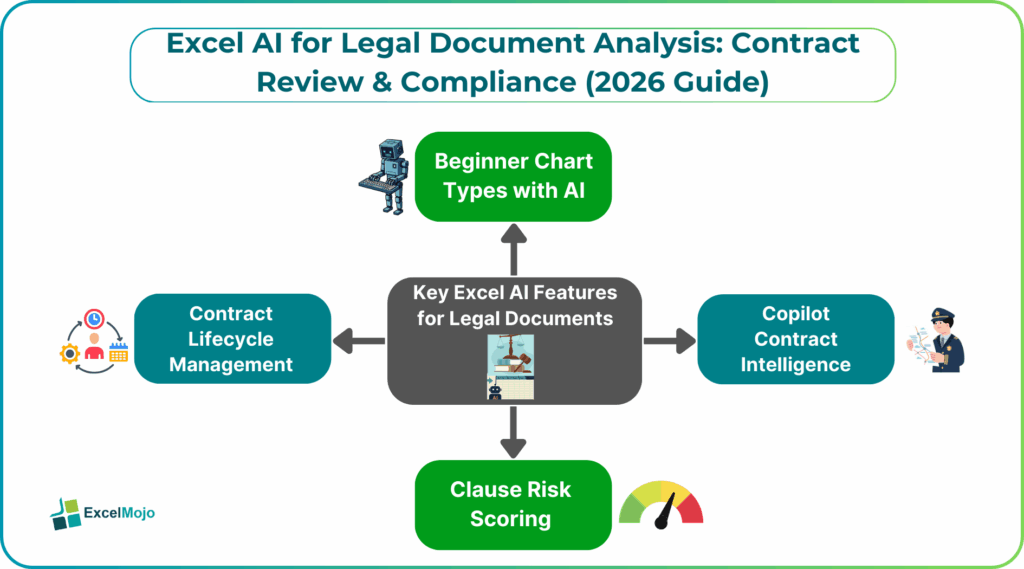
Key Excel AI Features for Legal Documents
Excel AI for Legal Document Analysis – Legal documents require many processes to be in place. Using features like Copilot which acts as a virtual assistant, one can scan spreadsheets of contracts to standardize formats and remove duplicates. Excel AI legal analysis assistants can also extract specific from raw text cells using natural language prompts. One can also use AI integrations like Spellbook to allow for scanning risky clauses and for suggesting solutions. In Excel, Copilot can highlight anomalies or “spikes” in these risk-related data points to priorities review. Natural language prompts allow legal professionals to use plain language prompts to identify trends, outliers, or anomalies within large sets of contract data. The AI agents can be used to generate and explain sophisticated formulas for tasks like calculating contract durations, renewal dates, or financial obligations without manual coding.
The options are endless! Let us read on to find the key Excel AI features that are used in legal procedures around the world.
#1 – Copilot Contract Intelligence
Microsoft 365 Copilot serves as a co-analyst that connects to your organization’s legal systems of record through Microsoft Graph. It can quickly find specific clauses or terms across thousands of archived contracts. It can be used to pinpoint deviations between a new contract and standard legal templates. It can then highlight missing or altered provisions.
It can reduce lengthy, complex agreements into actionable summaries for stakeholders.
#2 – Clause Risk Scoring
AI agents that can be built through the Microsoft Copilot Studio, can perform systematic risk assessments on legal language. They can automatically identify clauses that deviate from predefined organizational or legal standards. The AI in Excel uses machine learning to categorize identified risks and provide a baseline score or priority level for manual review. Excel AI legal analysis is one of the best ways to leverage the power of AI for legal activities.
It can also be used to give safer clause language based on existing policy or previous successful negotiations so that there are minimal risks.
Advanced Legal Use Cases
Legal teams are increasingly moving beyond basic data entry to use Excel-based AI for complex, high-priority tasks within Excel:
- Risk Categorization: AI can be used to identify high-risk clauses like unusual termination rights by comparing contract language against predefined organizational playbooks. This can be seen in many practical legal cases.
- Automated Clause Extraction: Natural Language Processing can automatically scan hundreds of documents to extract critical metadata like parties, effective dates, governing laws, etc. and populate Excel tables for centralized tracking.
- Contract Lifecycle Management or CLM that is Excel-based uses AI to bridge the gap between simple tracking and full legal Excel automation.
- Automated Repositories: AI extracts metadata from scanned PDFs using OCR technology, creating a searchable database of agreements.
- Obligation Tracking: AI extracts and monitors specific deadlines and performance metrics. It also provides automated alerts for renewals or expirations.
- Performance Dashboards: AI turns contract data into clear visual dashboards, so legal leaders can quickly see risks and AI contract review Excel status across their entire portfolio at a glance.
#1 – Litigation Document Organization
- AI makes e-discovery and trial prep faster by organizing large amounts of digital records.
- It scans emails, case notes, and evidence to spot patterns and highlight the most important documents for trial.
- By reviewing past cases and court decisions, AI helps lawyers estimate possible outcomes and plan settlements.
- AI creates clear, executive-ready summaries of long legal document analysis Excel, saving time and effort.
- It also reduces manual work and errors, letting legal teams focus more on strategy instead of paperwork
#2 – Regulatory Compliance Tracking
AI helps organizations stay compliant with changing global and industry rules like GDPR and FCPA by constantly keeping an eye on new regulations. It monitors updates in real time and alerts teams when existing contracts or policies need changes to stay compliant. AI also keeps detailed records of compliance activities, creating an easy-to-follow audit trail that makes inspections much less stressful. By comparing company policies with current laws, it quickly spots gaps in compliance and even suggests clearer, safer wording to meet new standards. On top of that, it reduces compliance risks and gives teams confidence that nothing important is slipping through the cracks.
#3 – Security & Ethical Considerations
Using AI inside Excel for legal work needs a careful balance between speed and responsibility. While AI can automate tasks and save time, entering sensitive client information into third-party AI tools can risk confidentiality, break legal privilege, and violate data privacy laws like GDPR or CCPA. There are also ethical concerns—AI can reflect bias if it’s trained on flawed data, and its decisions can be hard to explain, creating a “black box” problem. Because of this, lawyers can’t rely on AI blindly. They are still personally responsible for the accuracy and legality of the work, which means strong human oversight is essential to check AI results, follow current law, and ensure AI is not acting like a lawyer on its own.
Frequently Asked Questions (FAQs)
Excel AI can help flag potential risk clauses by scanning contract language and highlighting unusual or high-risk terms in Excel AI legal analysis.
However, sensitive data must be handled carefully to avoid confidentiality and data-protection issues. The final judgment lies in the hands of the legal professionals, who must review and validate AI findings.
AI can be highly effective at organizing and classifying legal documents based on patterns and prior data. Accuracy depends on the quality of training data and ongoing human oversight to avoid bias or errors. Lawyers must still verify results to ensure compliance with current laws and standards.
Excel AI is most useful for e-discovery, contract review, compliance tracking, and document summarization. It helps manage large data sets quickly while maintaining structured audit trails. Routine, data-heavy tasks gain the most value, freeing legal teams to focus on strategy and analysis.
Recommended Articles
Continue with these related resources when you want the next practical step in this topic.
- How To Use AI With Excel
- How AI Is Transforming Data Analysis In Excel (2026 Complete Guide)
- Excel AI And Machine Learning: Beginner’s Guide For 2026
- The Most Useful AI Features in Excel: Unlock Smarter Spreadsheets in 2026
- Top Skills for AI-Enabled Excel in 2026 (Must-Master List)
Explore the full Excel AI Automation and Analysis guide or browse Excel Resources.