


Introduction to AI-Powered Excel Formulas
The year 2026 is going to revolutionize the use of AI in Excel. We have the =COPILOT() function, through Microsoft’s COPILOT, that allows users to generate complex formulas, analyze data, and extract insights. These can be done using simple natural language prompts directly in cells. Gone are the days when tough syntax had to be remembered. Now, using AI, its all about simplifying the process for tasks like summarizing data, creating formulas, or generating content, through generational formulas.
AI brings natural language processing (NLP) into Excel, allowing users to talk and directly use their formulas, Functions like =COPILOT() integrate AI directly into the spreadsheet grid. This makes Excel all the more powerful.
Key Smart Excel Formulas Powered by AI in 2026
AI-powered Excel functions allow users to perform advanced analysis and create formulas using simple natural language. This makes advanced spreadsheet capabilities accessible to everyone.
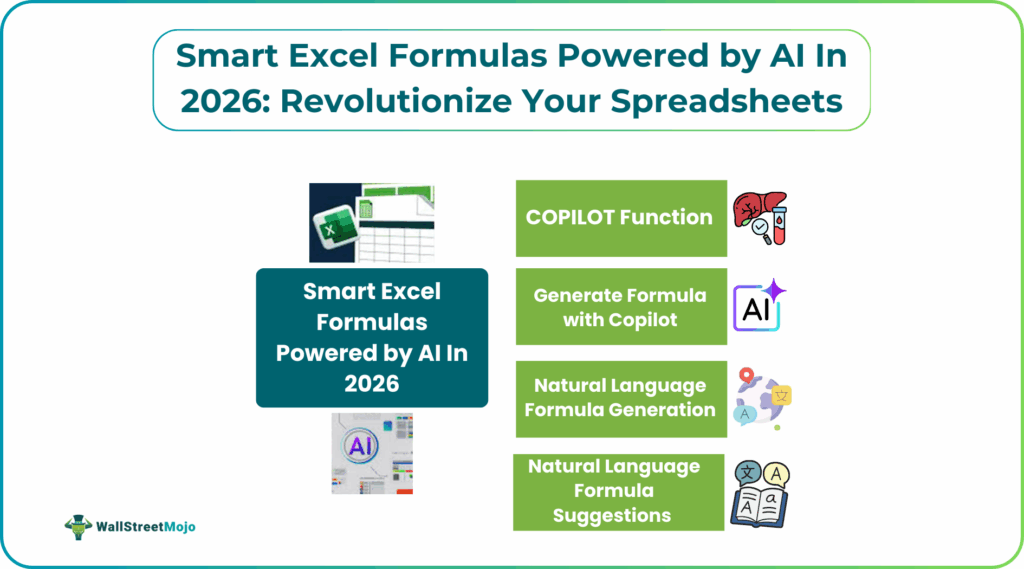
#1 – COPILOT Function for Natural Language Processing
The =COPILOT() function is a pioneer when it comes to AI generated formulas in Excel. It brings conversational AI directly into Excel. Users can write plain-English prompts inside a cell and reference data ranges. Questions like “Summarize customer feedback,” can be asked and Copilot produces answers. You get summaries without requiring complex traditional formulas. Also, the results automatically update when the data changes. The function works alongside built-in functions such as IF, SWITCH, and LAMBDA, allowing you to get accurate AI outputs. However, it’s intended for interpretive tasks and not precise numerical calculations. It primary uses include summarizing and categorizing rather than financial reporting.
#2 – Generate Formula with Copilot
With Copilot’s formula generation features, there is no need to memorize complex syntax. Simply describe the output you need in words, like “calculate total sales by multiplying quantity and unit price.” Copilot will generate the appropriate smart Excel formulas AI for a new column or row. Copilot also explains how each suggested formula works, helping you understand how it works. This helps you avoid manual errors which once tough error prone formula writing into a fast, human-friendly interaction that is particularly helpful for complex or nested formula constructions.
#3 – Natural Language Formula Generation
Instead of memorizing tough functions like VLOOKUP, SUMIFS, or complex nested functions like IF, you can tell Excel AI your requirement and it will do the rest. For example, users can ask, “List all customers in the West region who spent more than $100 and sort them in ascending order.” You get the necessary information after the AI generates the required formulas and return results that in your spreadsheet. This approach helps make advanced data manipulation accessible to users who aren’t comfortable with traditional formulas.
#4 – AI Formula Completion and Suggestions
As you type smart Excel formulas AI, Copilot now offers smart suggestions and predicts your next steps based on headers, table context, and your typing patterns. This makes formula entry faster and reduces errors, especially for longer or more advanced formulas. Copilot can suggest complete AI Excel formulas 2026, or assist in tweaking an existing one, reducing the learning curve for complex syntax and helping both beginners and advanced users work more efficiently. Future updates aim to improve this contextual formula assistance even further.
#5 – Smart Data Analysis Formulas
AI-powered formulas in Excel go beyond simple sums or averages. With built-in intelligence, Excel can now identify patterns, detect anomalies, etc., without needing separate add-ins. For example, you could use Copilot to extract sentiment from a column of customer comments. These intelligent formula capabilities help tap into the full potential of spreadsheets. The natural language Excel formulas are a powerhouse for workflows.
Step-by-Step Guide to Using AI Formulas in Excel
Using AI in Excel involves leveraging the features of tools like Analyze Data or Copilot. Then, Copilot Excel formulas can be used proactively. You can also install third-party add-ins to generate formulas, get insights, and automate tasks from natural language prompts.
- Have your data in an Excel worksheet.
- Go to the Home tab and click the Analyze Data button (or the Copilot icon if available).
- In the appearing pane, type your request in natural language. You can also use suggested prompts. Based on the prompts, Excel generates charts, PivotTables, or insights.
- All you have to do is double-click to add them to your sheet.
- If you want, you can also install third party add-ins.
- Go to Insert -> Add-ins -> Get Add-ins, search for an AI tool and add it.
- In a cell, type =AI.translate(CellToTranslate, “TargetLanguage”)
- Press Enter to get the result directly in your sheet.
Tips:
Always be specifc in your prompts for better results (e.g., “Sum column B for rows where column A is ‘Sales'”).
Ensure your data has clear headers and is well-structured for better analysis.
Always double-check AI-generated formulas or insights for accuracy.
Real-World Examples of Smart AI Formulas
Most of us do not notice that we have several real-life examples of Artificial Intelligence we use every day. Many smart AI tools like voice assistants are a part of our daily life. They include Siri and Alexa. They use Natural Language Processing (NLP) to understand commands, manage schedules, and control devices.
Ou also have recommendation engines like Netflix and Amazon. Algorithms on Netflix, Spotify, and Amazon analyze user behavior to suggest relevant content or products.
Besides, navigation apps like Google Maps are also powered by AI as they learn patterns for personalization and efficiency. They use AI to analyze real-time traffic for optimal route planning.
In many industries, AI is used in different ways. They drive fraud detection in finance, predictive maintenance in manufacturing, personalized healthcare diagnostics, and automate complex workflows. In manufacturing, they help create smarter systems and saving significant time.
Benefits of AI-Powered Excel Formulas
- AI creates complex formulas in seconds, reducing manual work significantly.
- Automated formula generation reduces syntax and logical mistakes. Even beginners can perform advanced calculations using plain language.
- AI tools explain how formulas work instead of just providing results.
- AI applies uniform formula logic across files and teams.
Limitations of AI Formulas
- AI formulas may produce results that may look correct, but it always requires human validation for accuracy.
- These AI formulas rely heavily on a clean data structure. If they are messy or inconsistent, you may get misleading outputs.
- They are useful for beginner or mid-level formulas. To use advanced financial, statistical, or regulatory calculations, we still require traditional smart Excel formulas AI.
AI features often depend on internet access. They cannot be used offline.
Frequently Asked Questions (FAQs)
Smart AI-powered Excel formulas use natural language and machine learning to analyze data, generate insights, and perform calculations automatically. They reduce the need for manual formula writing and complex syntax.
The COPILOT function allows users to ask questions in plain language within Excel cells and reference data ranges. It interprets the request and returns summaries, insights, or structured results that update with the data.
Yes, AI can generate complex nested formulas by understanding the intended calculation and data context. However, users should still review the results for accuracy, especially for critical business calculations.
Recommended Articles
Continue with these related resources when you want the next practical step in this topic.
- How To Use AI With Excel
- How AI Is Transforming Data Analysis In Excel (2026 Complete Guide)
- Excel AI And Machine Learning: Beginner’s Guide For 2026
- The Most Useful AI Features in Excel: Unlock Smarter Spreadsheets in 2026
- Top Skills for AI-Enabled Excel in 2026 (Must-Master List)
Explore the full Excel AI Automation and Analysis guide or browse Excel Resources.