


Introduction to Excel AI tools to track Social Media metrics
AI tools are changing how people use Excel for social media tracking. When you use Excel, tracking metrics is much easier than manually checking numbers. Combined with AI, it’s a win-win situation. Users can now ask simple questions and get instant insights. Plenty of AI tools are now available in Excel that help with automatic data cleaning, trend detection, and quick visual reports. IN this article, we will discuss some of the popular tools like Coefficient, Powerdrill Bloom, SheetAI, Numerous.ai, and GPTExcel. These AI Excel social media tools make social media analysis easier, even for beginners without much expertise. They turn raw social data into clear, actionable reports and help teams make faster decisions.
What makes AI combined with Excel a hit combination? It can be observed that traditional Excel-based social media analysis takes a lot of time. You usually need to export data from various platforms. Also, there is a need to use complex formulas like VLOOKUP, and manually build charts for insights. AI-powered Excel tools are like smart assistants. They clean messy Excel files, find patterns, and generate insights using simple text prompts from users. This reduces reporting time and removes the need for advanced Excel skills.
Top 5 AI Excel Tools for Social Metrics
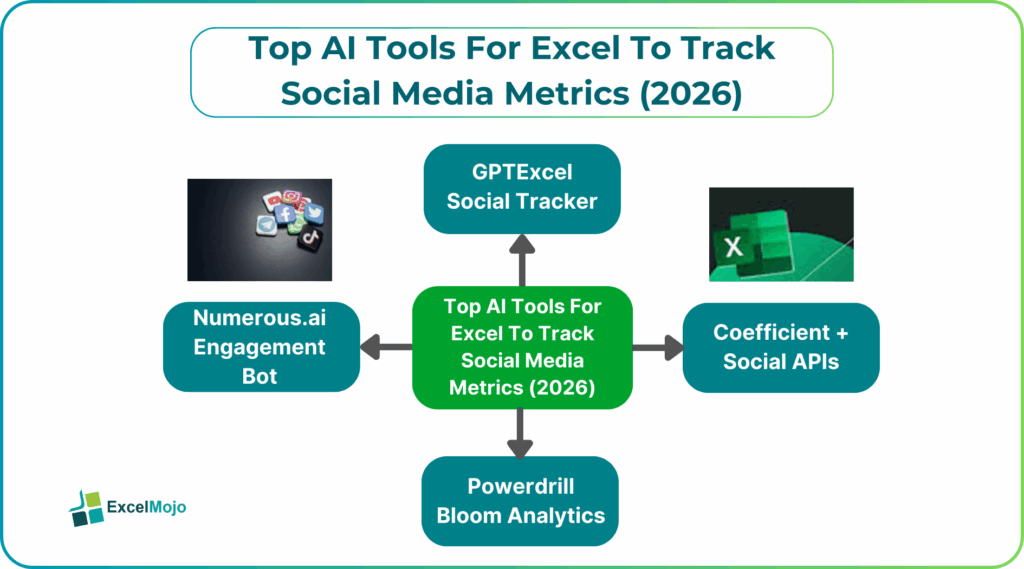
Now, when you are new to the world of AI, you need guidance to choose the right AI tool for your social media analytics’ needs. In a nutshell, we will give you a brief idea. For analyzing social metrics in Excel, some of the top AI tools include Coefficient for unified data, Powerdrill Bloom for instant insights, SheetAI for formula assistance, Numerous.ai for data cleaning and insights, and GPTExcel for formula/script generation. Each of these tools leverage the power of AI to simplify tasks like data integration, trend spotting, and automated reporting. They help transform raw social data into actionable visualizations directly within spreadsheets with effective narration.
#1 – Coefficient + Social APIs
Coefficient is best known for pulling live data into Excel and Google Sheets. It connects with social platforms through APIs and regularly updates metrics like impressions, clicks, engagement, and followers. Instead of downloading reports multiple times, the spreadsheet stays updated automatically.
Once the data is inside Excel, Coefficient uses AI to help clean and organize it. You can ask for formulas, summaries, or quick insights without writing complex logic. This makes it ideal for creating unified AI Excel social media tools dashboards that combine data from multiple platforms in one place.
#2 – Powerdrill Bloom Analytics
Powerdrill Bloom focuses on turning messy data into clear insights. You upload your social media spreadsheets, and the tool automatically cleans the data and highlights trends. It detects spikes, drops, and patterns in engagement without any manual intervention.
Bloom stands out is its ability to generate natural-language insights and presentation-ready slides. Bloom is as good as a data analyst who can explain the nuances of metrics and what is happening in your social metrics. This is useful for marketers who need fast insights for reports or presentations.
#3 – SheetAI Social Insights
AI Excel social media tools like SheetAI works directly inside Google Sheets and Excel. It allows users to generate formulas, clean social media data, and extract insights using text prompts. You don’t need to remember syntax or advanced Excel functions.
For social media tracking, SheetAI helps automate repetitive tasks like engagement calculations, growth rate formulas, and summary tables. It is especially helpful for beginners or content teams who want quick answers without deep spreadsheet knowledge.
#4 – Numerous.ai Engagement Bot
Numerous.ai acts like an AI assistant inside your spreadsheet. You can ask questions such as “Which post had the highest engagement?” or “Summarize last month’s performance.” The tool then analyzes the data and returns clear results.
It is strong at cleaning unstructured social data and generating readable summaries. Numerous.ai is useful for understanding trends, audience behavior, and performance changes without spending time on manual analysis or pivot tables.
#5 – GPTExcel Social Tracker
GPTExcel focuses on generating Excel formulas, VBA scripts, and SQL queries from plain English. For social media tracking, this means you can create custom trackers without knowing advanced Excel coding.
You can ask GPTExcel to build formulas for engagement rates, automate data extraction, or generate scripts for recurring reports. This tool is ideal for users who want more control and customization in their social media dashboards while still saving time.
What do all these tools do in Excel? They help understand performance, using social media metrics. This is critical for any social media strategy. These AI-powered social media analytics tools can be used to analyse large volumes of data. They provide the following insights.
- Engagement Metrics:
- You get to know all bout likes, shares, comments, and subscribes.
- Audience Demographics:
- You can check for age, location, and interests of your followers.
- Content Performance:
- They help identify the posts that perfrom best and also give you the reason.
Feature Comparison Table – Excel social media analytics AI
| Feature | Coefficient | Powerdrill Bloom | SheetAI | Numerous.ai | GPTExcel Tracker |
|---|---|---|---|---|---|
| Primary Function | Connects live social and other data into Excel or Sheets and helps generate formulas using AI | Performs full AI-driven analysis and creates reports and slides automatically | Acts as an AI helper inside spreadsheets for formulas and quick insights | Uses AI to clean, analyze, and summarize spreadsheet data | Generates formulas, scripts, and insights from plain English |
| Input Sources | Excel, Google Sheets, and connected APIs | Excel files, CSVs, and PDFs | Excel and Google Sheets | Excel and Google Sheets | Excel and CSV files |
| Key Strength | Live data refresh for always-updated dashboards | Trend detection with instant, presentation-ready output | Easy-to-use formula creation for non-experts | Strong at text analysis, sentiment tracking, and segmentation | Natural language queries for fast custom automation |
| Best For | Teams building real-time social media dashboard Excel AI | Users needing fast, no-code social reports | Beginners and content teams using Excel daily | Marketers and community managers tracking engagement | Users building custom social trackers quickly |
Conclusion
AI-powered Excel tools have made social media tracking faster and more accessible. Tasks that once required advanced Excel skills can now be done with simple prompts. Tools like Coefficient, Powerdrill Bloom, SheetAI, Numerous.ai, and GPTExcel reduce manual work and improve reporting speed. By using these tools to track social metrics Excel AI, you can focus more on strategy and business development and less on spreadsheet maintenance.
Frequently Asked Questions (FAQs)
The best Excel AI tools for social metrics include Coefficient, Powerdrill Bloom, SheetAI, Numerous.ai, and GPTExcel. These tools help automate social tracking Excel with data cleaning, analysis, and reporting. They are suitable for both beginners and advanced users.
Excel AI plugins connect to social platforms using APIs or automated data imports. Tools like Coefficient pull live data directly into spreadsheets. This removes the need for manual downloads and keeps reports updated.
AI Excel tools can track sentiment if sentiment data is included or generated using AI analysis. Some tools analyze text data and summarize audience reactions. This helps track sentiment across different social platforms in one spreadsheet.
Recommended Articles
Continue with these related resources when you want the next practical step in this topic.
- Excel Copilot: What It Is and How to Get Started In 2026
- Top 10 AI Tools For Excel Data Analysis
- The Best Excel AI Plugins You Should Try This Year
- Excel Copilot vs. ChatGPT: What’s Better for Your Spreadsheets?
- How to Integrate Gemini AI Directly in Excel Workbooks
Explore the full Excel AI Tools and Copilot guide or browse Excel Resources.