


Introduction to AI Automated Excel Model Documentation
AI model documentation in Excel in 2026 has evolved from simple single cell comments to comprehensive, automated frameworks that ensure transparency and reliability. Documenting AI models directly within a workbook is essential for different tasks. This includes verifying data sources, tracking training methodologies, and checking and documenting performance metrics such as risk analysis. This changes allows business users to collaborate with a common language of business logic. This changes the spreadsheets into robust tools for interpreting trends rather than just for manual data entry. By integrating documentation into workflows, teams can ensure that complex business logic remains clear even when the AI models are updated.
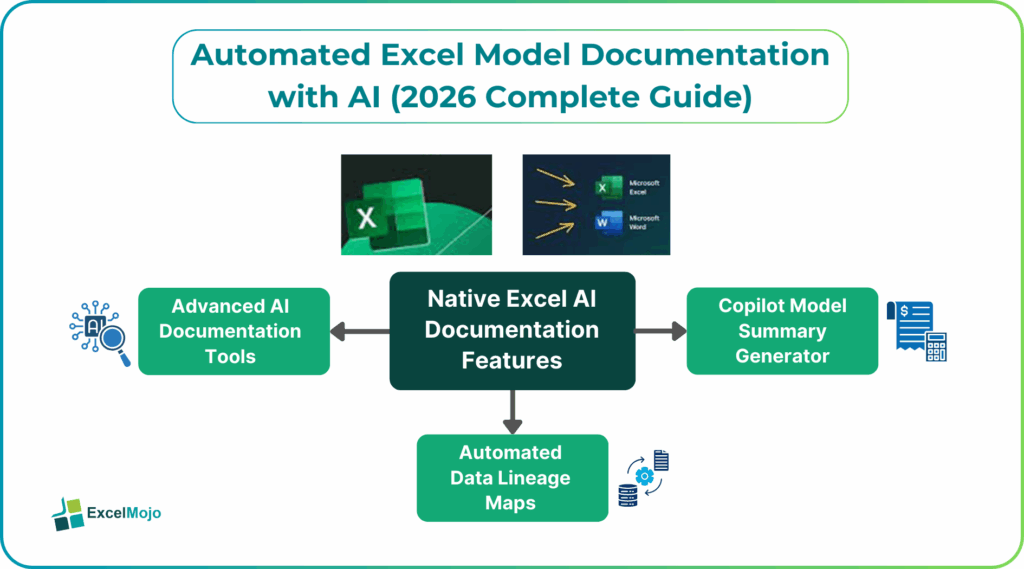
Native Excel AI Documentation Features
Microsoft has embedded AI documentation tools directly into the Excel Ribbon via Microsoft 365 Copilot. This provides users with the ability to explain formulas and analyze data in natural language. These native features help check the calculations by breaking down complex nested functions into step-by-step parts, so that users can trust AI-generated outputs. Also, Excel’s native Analyze Data tool automatically suggests visualizations and highlights patterns. Thus it creates a detailed summary of the dataset’s structure and anomalies without requiring third-party add-ins.
#1 – Copilot Model Summary Generator
The Copilot model summary generator acts as a high-level analyst that distills massive datasets into concise, actionable insights and structured reports. By asking Copilot a simple query like “Prep a summary for my team,” it identifies key trends, outliers, and potential issues. It generates a summary with citations to the specific data points it used, making it fact-based. This feature is particularly useful for important meetings where briefings are given, as it can transform thousands of rows of raw information into a list of insights. Thus, companies can make decisions based on verified data.
#2 – Automated Data Lineage Maps
Automated data lineage in modern Excel environments provides a visual map of the entire data journey. You can see from its origin through various transformations to its final output. This feature is powered by Power Query and integrated metadata tools like Azure Purview and allows users to perform impact analysis by seeing which downstream cells or reports will be affected by a change in an input variable. These maps are vital for regulatory compliance like GDPR because they provide an audit trail that proves data integrity. It helps engineers debug complex data clusters by tracing the errors back to their root cause.
Automated Excel model documentation uses AI to interpret complex logic and generate narratives that could be understood by humans. This shift in 2026 focuses on transparency, ensuring every formula and assumption is traceable for audit purposes
Advanced AI Documentation Tools
Modern AI tools for Excel go beyond simple formula generation to provide full-scale model auditing and structural understanding.
- Microsoft Copilot for Excel: This is directly integrated into Microsoft 365, it can automatically generate detailed reports, summaries, and professionally formatted visualizations by understanding your data’s structure.
- V7 Go: A specialized agentic platform that reads unstructured documents (like PDFs) and populates Excel templates with citations. It provides a clear audit trail, allowing a reviewer to click a cell and see the exact source paragraph in the original document.
- Apers AI: Specifically architected for real estate financial modeling, it doesn’t just output static values; it builds the actual dynamic formulas so the logic remains fully auditable.
#1 – ChatGPT Narrative Builder
ChatGPT acts as a sophisticated co-pilot for creating the summary and a story behind your numbers. It constructs a text-to-narrative You can upload a spreadsheet to ChatGPT and ask it to “create a two-line caption that spotlights the sharpest drop” or “generate one headline per region” to provide context for stakeholders.
Formula Explainer: It can break down complex LET or LAMBDA functions into simple, step-by-step instructions, making the model’s internal logic accessible to non-technical users.
Report Generation: By prompting ChatGPT with instructions like “Create a summary report of sales performance,” it can turn raw grid data into a comprehensive narrative report.
#2 – DocumentationGPT Add-on
Several “GPT for Excel” add-ins allow you to document and process data in bulk directly within the spreadsheet interface.
- GPT for Excel & Word: It is available in the Microsoft Marketplace. This tool features an AI Agent that can process up to 1 million rows. It provides dedicated GPT functions to generate descriptions for ranges automatically.
- GPTExcel: It is an AI-powered assistant used to generate not just formulas, but also VBA automation scripts and detailed data insights.
Step-by-Step Automation Process
Let us look at the different steps involved in the automation process for AI Excel documentation.
- Preparation: Ensure your data is clean without duplicates or broken links so the AI doesn’t document “garbage.”
- Add-on Activation: Install an AI tool like GPT for Excel from the Office Store.
- Prompting for Logic: Use natural language prompts such as “Explain the logic behind the nested IF statements in Column G” or “Describe the workflow of this financial model”.
- Bulk Documentation: Apply AI functions across the “Notes” column of your model to automatically explain every calculation row-by-row.
- Final Review: Manually verify AI-generated text to ensure technical accuracy and consistency with business rules.
Examples: Before & After
| Feature | Before (Manual) | After (AI-Automated) |
| Logic Clarity | Complex nested formulas like =IFERROR(INDEX(…),0) are left unexplained, requiring hours to reverse-engineer. | AI tools such as Formula Bot generate clear, plain-English explanations for every step in the calculation. |
| Assumption Tracking | Assumptions are buried in hidden rows or hard-coded formulas, making audits time-consuming. | AI agent modes automatically create a documentation tab listing data sources, logic rules, and assumptions. |
| Error Handling | Circular references and #VALUE! errors are detected manually or with basic Excel auditing tools. | AI detects logic gaps and recommends fixes, such as replacing legacy formulas with XLOOKUP. |
| Process Logs | Version history only shows basic edit tracking in shared workbooks. | AI tools maintain detailed logs of every action, including data cleaning, transformations, and formatting steps. |
Best Practices & Compliance Standards
Let us look at some of the best practices and compliance standards to be followed when automating Excel model documentation with AI.
- Avoid uploading sensitive or proprietary data to public LLMs; use enterprise versions like Microsoft Copilot which offer higher security.
- Always treat AI documentation as a draft. Review outputs for “hallucinations,” especially in complex financial or engineering formulas.
- Prompt Standardization: Use a consistent three-part prompting framework (Context + Task + Format) to ensure all model documentation follows a uniform corporate style.
Frequently Asked Questions (FAQs)
AI tools like Microsoft 365 Copilot use NLP to interpret cell logic and generate plain-English explanations for complex formulas. They automatically detect data relationships, identify key metrics, and create “README” tabs that summarize the model’s purpose and flow. Advanced scripts also track version history and dependencies, turning manual data entry into a structured, self-documenting workflow
AI-driven platforms create sequential records of every transaction and user action with precise timestamps. These systems use real-time monitoring to flag anomalies and provide a trail that ensures adherence to standards like GAAP.
AI for Excel supports global regulatory standards such as ISO/IEC 42001 for AI management and the EU AI Act for high-risk system reporting. It also aligns with industry-specific frameworks like HIPAA and GDPR by automating the metadata collection required for data privacy audits. Standardized templates are used to document model lineage, assumptions, and validation results.
Recommended Articles
Continue with these related resources when you want the next practical step in this topic.
- How To Use AI With Excel
- How AI Is Transforming Data Analysis In Excel (2026 Complete Guide)
- Excel AI And Machine Learning: Beginner’s Guide For 2026
- The Most Useful AI Features in Excel: Unlock Smarter Spreadsheets in 2026
- Top Skills for AI-Enabled Excel in 2026 (Must-Master List)
Explore the full Excel AI Automation and Analysis guide or browse Excel Resources.