


Introduction to Excel + AI Learning in 2026
The year 2026 marks a major shift in how professionals work with data. Excel has been widely recognized as the world’s most widely used data analysis tool. It has now evolved into a powerful environment improved with artificial intelligence. Currently, Excel requires users to go beyond traditional formulas. They must understand how to collaborate with AI tools and automate workflows with minimal manual effort. Whether you are a student, analyst, accountant, or business professional, learning Excel with AI in 2026 is unavoidable.
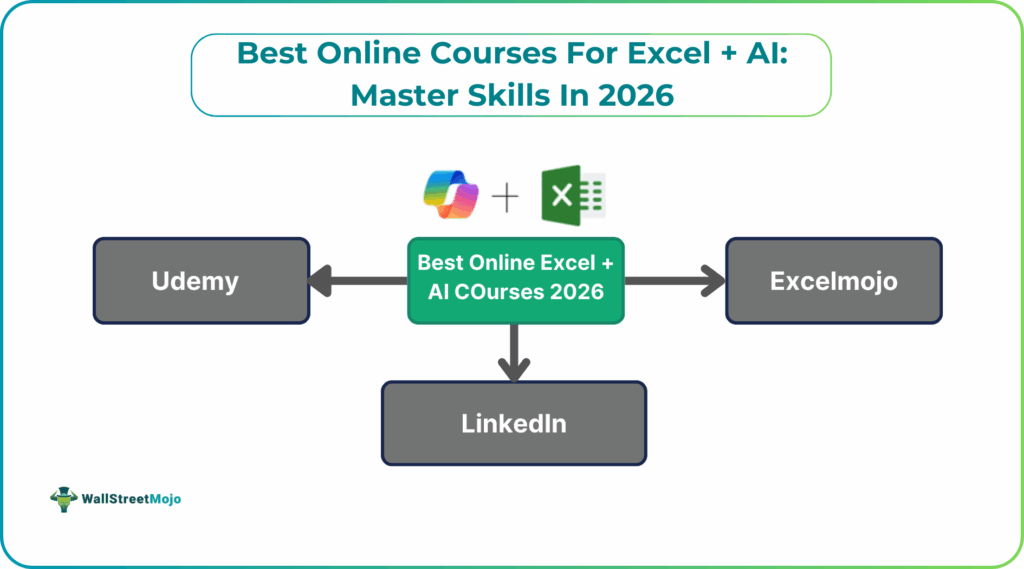
Online courses play a crucial role in enabling you to master Excel with AI. They help learners understand modern AI capabilities and apply them inside Excel. With the increasing adoption of Excel + AI in finance and various other fields, investing in the right course can significantly boost your career prospects.
Why Learn Excel with AI Through Courses?
Learning Excel integrated with AI offers a significant advantage; however, you need to choose the right courses. Let’s look at the reasons we need the best Excel courses 2026:
- AI Skills Are Becoming Mandatory in Modern Jobs: Companies now expect employees to perform complex Excel operations. All this can be done with the help of AI. Courses help you quickly adapt to this change by teaching practical applications.
- Courses Teach What’s Not in Traditional Excel Tutorials: Most older Excel tutorials focus on manual formulas and tools. AI-enhanced Excel needs new skills which include writing AI-prompted formulas. Many latest skills like Copilot, and generating VBA code can be taught only by the latest Excel + AI courses.
- Hands-On Learning Makes Complex AI Tools Easier: Platforms like ChatGPT, Copilot, and AI add-ins can feel difficult to self-learn. Courses simplify these tools through exercises and step-by-step instructions.
- Learning AI + Excel Together Saves Time: Instead of learning Excel and AI separately, integrated courses show how to use them together. You learn workflows that are complex to implement when learning on your own such as automation and data cleaning.
- Better Career Opportunities and Higher Earning Potential: Professionals who understand AI-enhanced Excel can excel in roles involving data analysis, automation, and the likes. Many companies prefer candidates who demonstrate Excel + AI capabilities with a certified course.
Top 5 Best Online Courses for Excel + AI
Below are five recommended best Excel AI courses, each offering something unique.
#1 – Microsoft Excel Skills Training (Coursera)
This course is a comprehensive program designed for learners who want to master Excel’s modern capabilities. This includes AI-enhanced features such as Microsoft Copilot, automated insights, and predictive analysis. It covers core to advanced skills focusing on topics like Power Query and data modeling. A major strength of this program is its application-based approach.
You learn:
- Excel fundamentals to advanced analytics
- Power Query and automation workflows
- AI-driven formulas and smart insights
- Forecasting and data modeling with Excel
- AI-powered dashboard building
Pricing: Paid
#2 – ExcelMojo – ChatGPT & AI For Microsoft Excel Course
This course focuses entirely on practical applications of ChatGPT and AI inside Excel. This is ideal for professionals who want fast, real-world productivity improvements. It demonstrates how AI can generate formulas from natural-language prompts. One can also learn to troubleshoot complex errors and build automated Excel workflows. A standout feature is that it practically demonstrates how ChatGPT Excel courses can create VBA macros and summarize large datasets. The course is suitable for both beginners and advanced users who wish to the power of Excel with AI for enhanced usage. You can learn more on this course from here.
You learn:
- AI-generated formulas and troubleshooting
- ChatGPT-powered VBA and macro creation
- Automated data cleaning and summaries
- AI-based dashboard development
- Text processing & workflow automation
Pricing: Paid
#3 – Microsoft Excel for Data Analyst (GreyCampus)
This course from GreyCampus provides an advanced, professional-level training path. It focuses on integrating Excel with AI-driven analytics and automation tools. It is ideal for those in finance, BI, and operations who handle large and complex datasets. The program also covers connecting Excel to external AI systems for tasks such as predictive modelling.
You learn:
- AI forecasting and anomaly detection
- Automated pivot tables and summaries
- AI insights for business analytics
- Integrating Excel with external AI tools
Pricing: Paid
#4 – Learning Microsoft 365 Copilot for Work (LinkedIn Learning)
This beginner-friendly course helps users transition from traditional Excel to AI-enhanced workflows. It provides a structured learning path. You learn everything from essential Excel functions to introducing capabilities like Copilot-assisted data cleaning. The course is ideal for office users, students, and business owners who want to improve efficiency without coding or technical complexity.
You learn:
- Excel basics + AI-assisted workflows
- Copilot for summaries, charts, and insights
- Natural-language reporting in Excel
- Practical business dataset exercises
Pricing: Paid (LinkedIn Learning subscription)
#5 – Magical Excel with AI (Udemy)
This course from the popular site Udemy is designed for intermediate and advanced Excel users. Here, you learn to combine traditional Excel skills with AI-driven programming. It teaches how to use AI tools to write Python scripts. Besides, you learn to auto-generate VBA macros, debug code, and automate end-to-end workflows. Students can work on practical projects where they generate code via AI prompts and integrate it into Excel via one of the best Excel AI courses.
What is taught:
- AI-generated Python and VBA automation
- Error fixing and code optimization using AI
- ML predictions and sentiment analysis
- Creating hybrid Excel + AI solutions
Pricing: Paid
How to Choose the Right Excel + AI Course?
Select the right Excel + AI course depends on your goals, experience level, and preferred learning style. Here are key factors to consider:
- Determine your skill level: Beginners should choose courses that start with fundamentals and gradually introduce AI tools. Intermediate or advanced users can choose courses that explore automation and complex modeling.
- Look for practical, real-world applications: The best courses include case studies and real datasets. Practical learning ensures you can use AI tools immediately at work.
- Assess the teaching style: Video lessons, assignments, templates, and demonstrations can help with learning. Choose a course that suits your style.
- Choose certification: A certificate can help strengthen your resume or LinkedIn profile, especially for data-related jobs.
Conclusion
Excel + AI is shaping the future of data analysis and business decision-making. As more and more companies are moving towards automation and AI-driven workflows, there is an increased demand for professionls with AI + Excel skills. Learning through structured online best Excel AI courses is the best way to gain these skills, as they offer guided learning. The five courses mentioned above are suited for all – from beginner-friendly introductions to advanced automation and AI-powered analytics. Whether you want to automate your daily tasks or build advanced AI-driven workflows, there is a course suited to your needs.
Frequently Asked Questions (FAQs)
Some of the best Excel + AI course in demand include:
• Microsoft Excel Skills Training from Coursera • ExcelMojo – ChatGPT & AI For Microsoft Excel Course
• Microsoft Excel for Data Analyst from GreyCampus
• Learning Microsoft 365 Copilot for Work from LinkedIn Learning
• Magical Excel with AI from Udemy
Many best Excel AI courses offer certificates of completion or professional certifications. These help validate your skills in using AI-enhanced Excel features, such as data analysis with Copilot, automation, and predictive modeling. Choose out the nest course to suit your needs and one which offers you a professional certification for best results.
The Excel AI online training could vary from a few weeks to a few months. It depends on the type of course you choose and how advanced it is. Also, online courses help you learn at your own pace, hence the duration could be flexible.
Recommended Articles
Continue with these related resources when you want the next practical step in this topic.
- Excel Copilot: What It Is and How to Get Started In 2026
- Top 10 AI Tools For Excel Data Analysis
- The Best Excel AI Plugins You Should Try This Year
- Excel Copilot vs. ChatGPT: What’s Better for Your Spreadsheets?
- How to Integrate Gemini AI Directly in Excel Workbooks
Explore the full Excel AI Tools and Copilot guide or browse Excel Resources.